


Introduction
Picture this: It’s 2 AM. Someone just found your website, and they’re ready to buy. But first, they have questions. What usually happens next? That moment right there decides if you get their money or if they bounce forever.
Most businesses let their contact form collect dust until someone checks it in the morning. Maybe there’s one of those “we’ll respond soon” messages sitting there. The visitor gets frustrated and leaves. You just lost a sale.
The smart ones? They run a customer support chatbot that answers questions right this second. Zero wait time. No frustration. Just solid answers that push people closer to hitting the buy button.
Listen, I’m not going to tell you a customer support chatbot can replace your whole support team. That would be nonsense. But here’s the real deal: when people need help at weird hours, or when you get hammered with the same shipping question fifty times during a flash sale, you absolutely need backup that doesn’t cost you a salary or need sleep.
These days, a customer support chatbot doesn’t talk like some clunky robot from 1995. They carry actual conversations, solve real problems, and free up your human team to handle the bizarre edge cases that machines still can’t figure out.
Perhaps you’re a startup on a tight budget. Perhaps you’re overseeing a support team that just keeps expanding. Either way, putting a customer support chatbot to work isn’t about being cheap or lazy. It’s about being there for customers exactly when they need you most.
ChatbotBuilder.net: The Tool That Makes Customer Support Chatbots Simple
What is ChatbotBuilder.net?
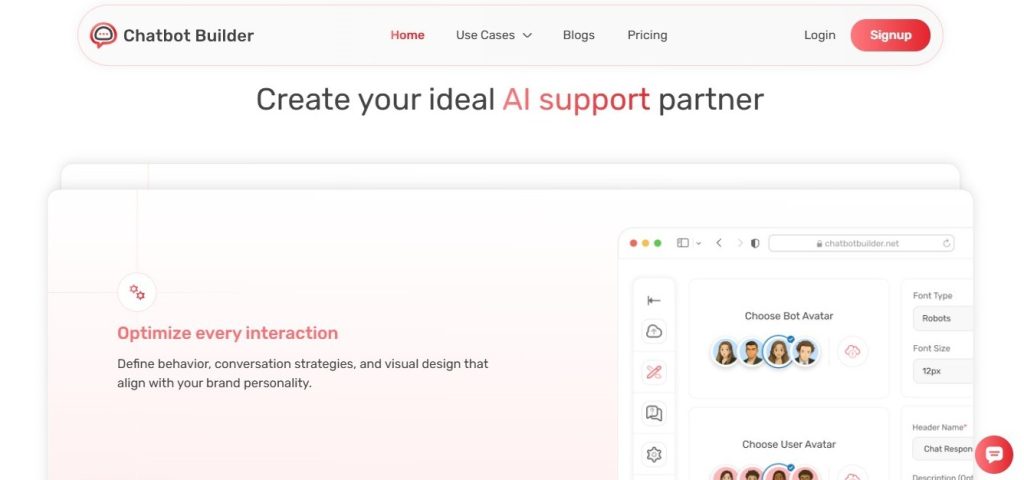
ChatbotBuilder.net gives you everything you need to build a working customer support chatbot without writing any code. You mess around with their visual builder, drag a few blocks here and there, and suddenly you have a customer support chatbot answering questions in less than an hour. The platform hooks into your current tools, learns from previous chats, and scales right alongside you.
Key Features:
- Visual Flow Builder: Build conversations with drag-and-drop ease (no coding necessary, we promise)
- Multi-Channel Support: Your customer support chatbot will be present on your website, Facebook Messenger, WhatsApp, and SMS
- Smart AI Training: Your customer support chatbot learns from past conversations by reviewing old chats
- Live Chat Handoff: Transfers difficult questions from the customer support chatbot to human staff without making it awkward
- Analytics Dashboard: Tracks response times, utm parameters, and the most frequently asked questions.
- Integrations: Connects with CRMs and over 1,000 apps through Zapier
- 24/7 Availability: Your customer support chatbot never needs coffee breaks, sick days, or vacation time
- Multilingual Support: Speaks to customers in whatever language they’re comfortable with
Pros:
- Gets up and running fast, even if you failed computer science
- Way cheaper than bringing another support person on payroll
- Drops response time from hours of waiting down to seconds
- Manages hundreds of simultaneous chats without choking
- Solid analytics that show you exactly what needs work
- Free trial available so you can test it out before spending actual money
Cons:
- Advanced customizations require some learning curve.
- AI sometimes needs fine-tuning for super niche industries
- You’ll invest time upfront in teaching your product details
Pricing:
- Basic Plan: $25 monthly for standard chatbot templates and core functionality
- Professional Plan: $95 monthly with advanced templates and detailed reporting
- Enterprise Plan: Custom pricing for businesses running multiple chatbot templates
Every plan includes a 14-day free trial. No credit card needed until you actually commit.
Real-World Use Cases: Where Customer Support Chatbots Shine
1. E-commerce Order Tracking and Returns
Online retailers use a customer support chatbot to demolish the “where’s my order?” ticket avalanche. Customers punch in their order number, and the customer support chatbot pulls up tracking info immediately, handles returns, and even recommends alternatives when stuff sells out. One clothing brand cut its support tickets by 60% after turning this feature on.
2. SaaS Product Onboarding and Troubleshooting
Software companies utilize customer support chatbots to assist new users who are experiencing difficulties with initial setup. The customer support chatbot assists users with account creation, clarifies key features, and fixes annoying login issues. Someone asks about making a free survey with the application.
3. Healthcare Appointment Scheduling and FAQs
Medical offices deploy a customer support chatbot for booking appointments, sending appointment reminders, and answering the same ten questions everyone asks about office hours and insurance. Patients get instant clarity on coverage details or what documents to bring, which cuts phone volume by 40% when things get really busy.
4. Financial Services Account Management
Banks implement a customer support chatbot for balance checks, transaction issues, and card activation. The customer support chatbot verifies identity, answers questions about fees, and escalates fraud concerns to humans fast. Financial institutions using this technology reduced their average handling time while maintaining tight security.
5. Education and Course Support
Online learning platforms put a customer support chatbot to work helping students locate courses, reset forgotten passwords, and understand assignment requirements. Students ask about quiz software or how to create a quiz. The customer support chatbot shows them tutorials and relevant links right away. It also handles feedback collection using survey tools, free for instructors.
Why Your Business Needs a Customer Support Chatbot Right Now
Think about the last time you had a simple question and waited two full days for someone to answer it. Absolutely maddening, right?
That’s exactly how your customers feel when you make them sit around waiting.
A chatbot eliminates wait time. Does someone have a return policy question at 11 PM on Sunday? Answered instantly. Fifty people asking about shipping during your sale? All fifty get answers at the same time without the bot even slowing down.
Companies running online quiz platforms figured this out years ago. They use chatbots to teach users how to create quizzes, explain software features, and fix technical issues immediately. The result? Happy customers who stay loyal.
But here’s what most people miss: your chatbot becomes a data treasure trove. Every chat shows what confuses customers, which features aren’t working, and what your website doesn’t explain well. Use that information. Improve your products based on it. Update your FAQ pages. Make better business decisions.
Setting Up Your Customer Support Chatbot: The Practical Way
Start small. Don’t try building an elaborate bot that handles everything on day one.
Pick the ten questions your team answers constantly. Train your bot to handle those specific questions. That’s version one.
Watch what happens. Read the chats where your bot struggled or confused people. Find where customers got frustrated. Fix those responses. Build better conversation flows.
Companies using sales funnel strategies discovered something interesting: chatbots actually increase sales. Why? They crush objections the moment they appear. A prospect asks about pricing in the middle of your funnel? Your bot explains everything instantly, compares plans, and might even offer a discount code.
The Human Element: Why Chatbots Need Your Team
Let’s be real: chatbots work best when they know their limits.
Some questions need human empathy. Human judgment. Human creativity. Your bot should recognize these situations and transfer smoothly to a real person.
That handoff quality matters more than almost anything. When your bot transfers someone to a human agent, it needs to share the entire conversation history. Making customers repeat everything? That’s how you lose them permanently.
Your human agents become absolute heroes when a bot handles all the repetitive stuff. They get to solve genuinely complex problems, build real relationships, and deliver personalized service that turns regular buyers into brand advocates.
Places offering free survey tools rely on this hybrid approach. The bot handles “how to create a survey” questions, explains free features, and fixes basic issues. Humans take over for custom builds, enterprise setups, and strategy consulting.
Making Your Customer Support Chatbot Sound Like You
Your chatbot needs to match your brand’s voice.
Running a casual, fun company? Your bot shouldn’t sound like it works at a law firm. Professional brand? Your bot should match that energy.
Write responses the way you actually talk to customers. Use contractions. Ask real questions. Add personality. When someone asks your bot about your survey tool, make the response sound helpful and human instead of like a technical manual.
Test your bot with team members before launching publicly. Have them pretend to be angry, confused, and difficult customers. Does your bot handle these well? If not, fix it before real customers see it.
Measuring Success: What Actually Matters
Track metrics that connect directly to revenue and customer happiness, not vanity numbers.
Sure, your bot might handle 1,000 chats monthly. But who cares if customers still hate your support?
Watch these instead:
- Resolution Rate: How many problems does your bot solve completely? Aim for 60-80% on common questions.
- Customer Satisfaction: Ask for feedback after bot conversations.
- Response Time: Your bot should respond in under 2 seconds. Anything slower feels broken.
- Cost Per Resolution: Calculate savings compared to human-only support. Include the bot subscription and setup time.
- Escalation Quality: When your bot hands off to humans, are those good handoffs? Or is it dumping confused, frustrated people on your team?
Platforms running online survey tools track how their bots affect conversion rates. When the bot nails pre-sale questions, way more free users upgrade to paid plans.
Common Mistakes That Hurt Chatbot Performance
- Making it too complicated at first: Start simple. Add complexity later when needed.
- Pretending it’s human: Be honest upfront that it’s a bot. People appreciate transparency.
- Ignoring customer feedback: Getting multiple complaints about the same bot response? Fix it immediately.
- Setting unrealistic expectations: Your bot can’t solve everything. Accept that.
- Forgetting updates: Your products change. Your prices change. Your policies change. Your bot needs those updates too.
One company selling quiz software learned this the hard way. They launched a bot with outdated pricing programmed in. Customers got angry when the bot quoted prices that didn’t match checkout. Update your bot every time you update anything else.
The Future of Customer Support Chatbots (And Why It Matters Now)
Chatbot technology keeps improving dramatically. Modern versions understand context, pick up emotional tone, and have real back-and-forth conversations instead of just matching keywords.
What does this mean for you? Start now. Train it now. Refine it now. Build your advantage now. Companies that wait will scramble to catch up while you’re already benefiting from years of refined data and happy customers.
Businesses running survey tools watched this pattern play out. Early chatbot adopters built strong customer loyalty and slashed support costs. Late adopters? They’re still catching up in markets where instant support is already expected.
Conclusion
A customer support chatbot doesn’t replace your human team. What it does do is multiply what your existing team can accomplish, make customers significantly happier, and let your business scale up without hiring proportionally.
Start with something that makes implementation incredibly easy, like ChatbotBuilder.net. Instead of merely checking boxes on a feature list, devote all of your attention to solving actual consumer issues. Measure what really counts, make adjustments based on candid feedback, and keep in mind that your customer service chatbot should make things easier for all parties.
The winners in customer support aren’t the ones spending more money. They’re the ones spending smarter by blending customer support chatbot automation with genuine human expertise, who are available 24/7 because their customer support chatbot works nights and weekends. They’re scaling their support capacity without scaling their headcount because their customer support chatbot manages all those repetitive questions.
Your customers want fast, accurate answers. A well-implemented customer support chatbot delivers exactly that while freeing up your human team for interactions that genuinely need the human touch. The question isn’t whether you need a customer support chatbot anymore. The real question is how much longer you can actually afford to wait before implementing one.
Sign up for a free trial today and boost your conversions.
Frequently Asked Questions
A customer support chatbot is automated software that uses artificial intelligence and programmed rules to have conversations with customers, answer their questions, solve common problems, and provide assistance without requiring humans. It operates on websites, messaging apps, and other digital channels to deliver instant support whenever people need it.
Basic plans typically start around $49 per month and can go up to $500 or more monthly for enterprise solutions. Most businesses see positive ROI within 3 to 6 months through reduced support costs and improved efficiency, so the investment generally pays for itself pretty quickly.
A customer support chatbot absolutely crushes routine questions and common problems that follow predictable patterns. Complex issues that require human judgment, empathy, or creative problem-solving should get escalated to live agents. The best implementations use smart handoff features that transfer complicated cases smoothly to human team members.
Getting the basic framework running takes somewhere between 1 and 3 hours on platforms like ChatbotBuilder.net. Training the chatbot on your specific business, products, and services typically requires another 5 to 10 hours spread out over the first few weeks as you continuously improve responses based on actual customer interactions.
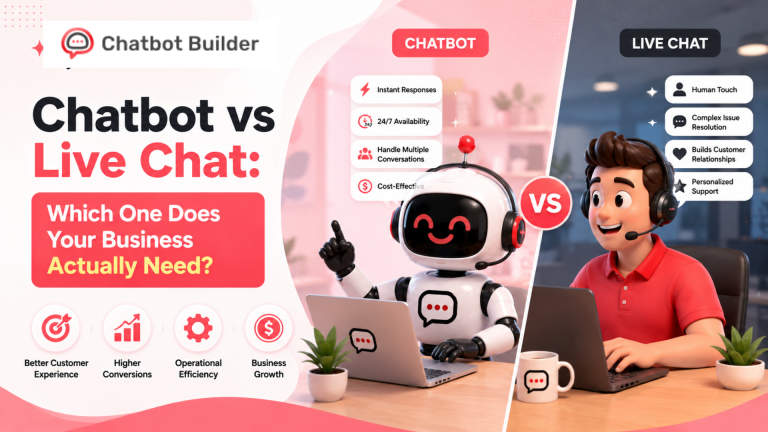
Live chat connects customers directly with human agents who are working in real time. A customer support chatbot uses automation to respond instantly without any humans being involved in the interaction. Many successful businesses use both together, where the customer support chatbot handles routine repetitive stuff and hands more complex issues to live agents.
Yes, most modern customer support chatbot platforms connect seamlessly with popular CRMs, help desk software, email marketing tools, and other business applications through native integrations or Zapier. This lets your chatbot access customer data automatically and update records across your systems without manual work.