


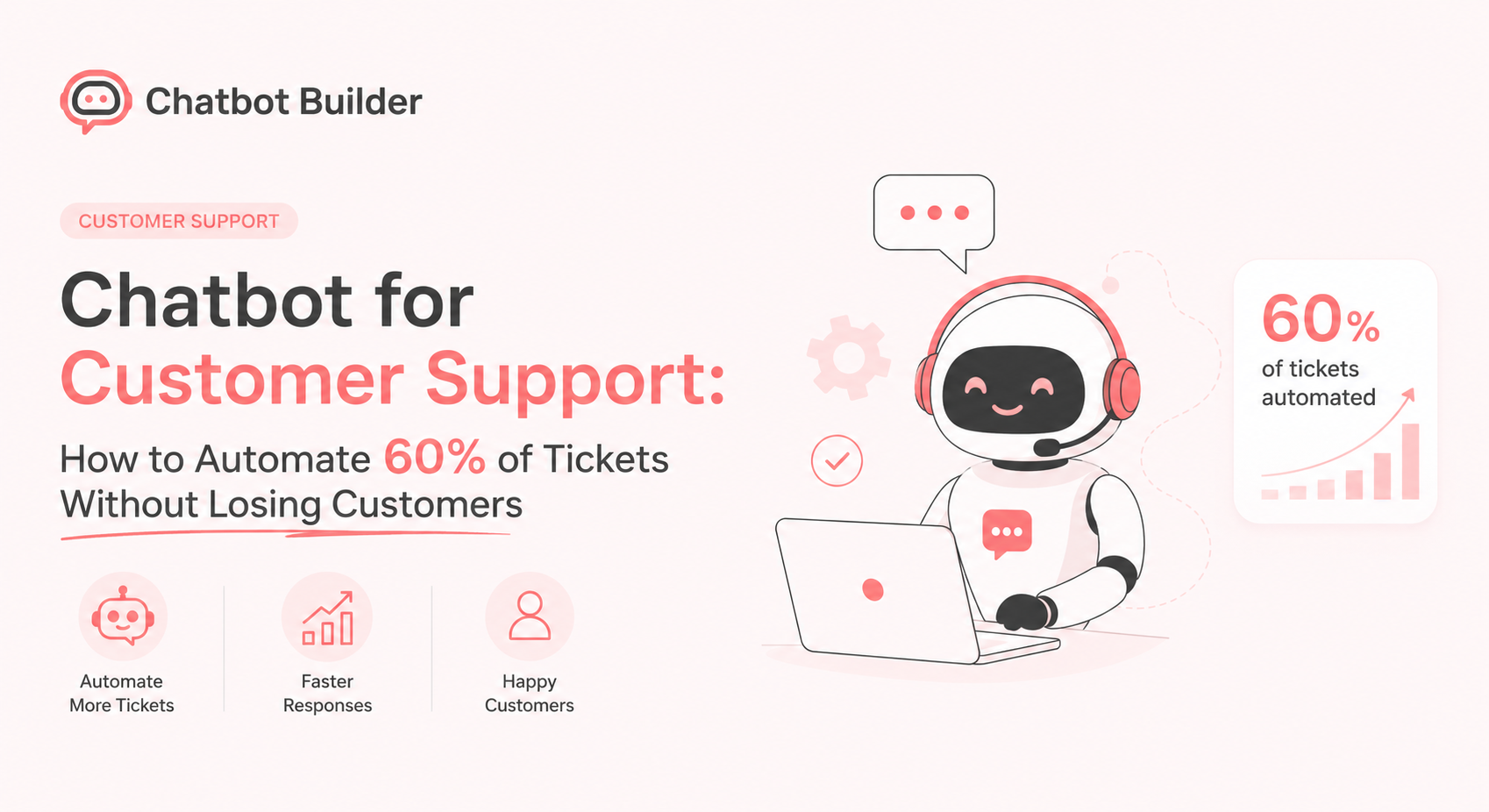
Customer support is under pressure. According to Salesforce’s State of Service report, 83% of customers expect to resolve complex problems by talking to just one person, yet support teams are fielding more tickets than ever before. Meanwhile, Gartner projects that by 2027, chatbots will become the primary customer service channel for roughly 25% of organizations worldwide. The pressure to do more with less is real, and AI-powered support automation has moved from a nice-to-have to a competitive necessity.
But there is a catch. A chatbot that is poorly scoped, badly written, or missing a clear escalation path does not reduce workload. It moves frustration upstream. Customers get stuck in loops, abandon the chat, and call in anyway, angrier than before. The result is higher cost, lower satisfaction, and a team that has lost trust in automation entirely.
The good news is that the math works out very differently when a support chatbot is built correctly. Research from IBM finds that businesses can reduce customer support costs by up to 30% by implementing conversational AI. Intercom’s Customer Support Trends report found that support teams using automation resolve 26% more issues per hour than those without it. The key is understanding exactly which queries belong to the bot, which belong to a human, and how to hand off between the two without losing the customer along the way.
This guide covers all of it: what to automate, how to escalate correctly, how to write responses that do not feel robotic, how to train your bot on content you already have, how to measure whether it is working, and the mistakes that quietly sink most support bot projects. At the end, there is a step-by-step walkthrough in ChatbotBuilder along with real flow examples you can copy directly.
Which Support Queries Are Safe to Automate vs. Which Need a Human
The single biggest factor in whether a support chatbot succeeds is scope. Bots that try to do everything end up doing nothing well. Bots focused on a tight set of high-volume, low-ambiguity queries tend to deflect 50 to 70% of tickets and leave customers satisfied. The trick is sorting your ticket categories correctly before you build anything.
Queries That Are Safe to Automate
These share three traits: the answer is the same for every customer, the information needed to answer it already exists in a system or document, and getting it wrong has low consequences.
Order and shipping status. “Where is my order?” is one of the highest-volume tickets for any ecommerce business and is almost always answerable by pulling data from an order management system. Look up the order by email or order number and return tracking info instantly.
Password resets and account access. Procedural by nature. The bot triggers a reset email or walks the user through 2FA recovery. No judgment call is involved.
Billing and subscription questions. “When does my plan renew?” “What is included?” “How do I update my card?” These are lookups against account data or static plan information.
Return, refund, and exchange policy questions. Note the distinction here: explaining the policy (“you can return items within 30 days”) is safe to automate. Actually approving a refund on a damaged item is a judgment call, and that distinction matters.
How-to and feature questions. “How do I export my data?” “How do I add a team member?” These map directly to existing help center articles and are ideal for retrieval-based answers.
Store hours, locations, contact info, and other static facts. Low value individually, but high volume in aggregate and trivial for a bot to handle.
Queries That Need a Human
Anything involving an exception to policy. If a customer wants a refund outside the normal window, a goodwill discount, or an exception to a stated rule, that is a judgment call affecting revenue and precedent. Bots should recognize these and route them.
Complaints and emotionally charged messages. If a customer is angry, has had a repeated bad experience, or signals frustration (“this is the third time I have contacted you”), automated responses tend to make things worse even when technically correct. People in this state want to feel heard, not processed.
Anything involving safety, legal, health, or compliance. Data privacy requests, accessibility complaints, injury claims, or anything with legal implications should go to a human every time.
Multi-step troubleshooting with unpredictable branches. A bot can handle “my app will not open, have you tried restarting it?” But if the issue could stem from a dozen root causes depending on device, OS, account config, and recent changes, a rules-based bot will eventually guess wrong.
High-value or high-risk accounts. Many companies route messages from enterprise accounts, accounts above a spend threshold, or accounts at risk of churning to a human regardless of query content. The cost of a bad automated interaction outweighs the savings.
The Gray Zone: Hybrid Handling
Many queries do not fall cleanly into either bucket. They start automatable and become human-required depending on the answer. “Can I return this item?” is automatable if the order is within the return window, but needs a human if it is outside the window and the customer wants an exception. The right design is to automate the first step and build a clean branch to a human for cases that need judgment. That branching logic is the difference between a bot that deflects 60% of tickets and one stuck at 15% because it gives up on anything slightly complicated.
How to Build a Support Bot That Escalates Correctly
Escalation is the most underrated part of chatbot design. Most people focus on the happy path: the bot answers, the customer is satisfied, done. But your escalation path determines whether customers trust the bot at all. According to a survey by PwC, 59% of consumers feel companies have lost touch with the human element of customer experience. If people believe a bot will trap them in endless loops with no way out, they will try to bypass it from message one, tanking your deflection rate regardless of how good the automated answers are.
Define Your Escalation Triggers Explicitly
Do not leave escalation to chance. Build a specific list of triggers that hand off to a human, checked at every step of the conversation.
Explicit requests. Any variation of “talk to a person,” “human,” “agent,” or “representative” should immediately route to a human with no friction. Forcing a customer to fight the bot to reach a person is one of the fastest ways to generate a negative review.
Repetition and frustration signals. If a customer repeats the same question, or the bot fails to understand the same message twice in a row, escalate rather than trying a third time.
Sentiment and keyword flags. Words like “cancel,” “refund,” “lawyer,” “BBB,” “scam,” or profanity should trigger immediate escalation, often with a priority flag for the agent so these do not sit in a normal queue.
Out-of-scope topics. If your bot handles billing and shipping but someone asks about a partnership or press inquiry, route to the right team rather than letting the bot guess.
Low-confidence matches. If your bot uses intent matching or AI-based understanding, set a confidence threshold. Below it, the bot should admit it is not sure and offer a human rather than risk a wrong answer.
Design the Handoff Itself
The handoff moment is where most bots fail even when escalation logic is correct.
Preserve context. The biggest complaint about bot-to-human handoffs is having to repeat everything. The bot should pass along the full conversation history, any account info it gathered (order number, email, issue category), and a short auto-generated summary so the agent opens the conversation already oriented.
Set expectations on timing. “I am connecting you with a specialist. Average reply time is under 5 minutes” beats silence or a vague “please wait.” If support hours are limited, say so and offer a callback rather than leaving the customer hanging overnight.
Do not pretend the handoff did not happen. Some bots try to make the human pick up mid-conversation as if they were the bot all along. This usually backfires. Customers feel deceived when they realize what happened, which makes future interactions feel like a betrayal. A simple “I am bringing in a teammate to help” builds more trust than a seamless illusion.
A Sample Escalation Flow
Here is a well-designed escalation sequence for a billing dispute:
Customer: “I was charged twice this month, please refund one of the charges.”
Bot: Recognizes “charged twice” and “refund” as billing-dispute keywords requiring human review.
Bot: “I can see this is about a billing charge. Let me pull up your account so our team has everything they need. Can you confirm the email address on your account?”
Bot: Looks up recent transactions and attaches them to the conversation.
Bot: “Thanks. I have shared your recent billing history with our billing team and flagged this as a possible duplicate charge. A specialist will follow up within a few hours. Anything else I can help with?”
Agent receives: Full transcript, account email, and last 3 transactions, pre-loaded.
Notice the bot did not try to resolve the refund itself, did not pretend it could, and did useful work before handing off. Automate the information-gathering, escalate the decision.
How to Write Bot Responses That Do Not Frustrate Customers
Even a technically correct bot can frustrate customers if the writing is off. Tone, length, and structure matter as much as accuracy.
Keep Responses Short and Scannable
Customers contacting support are usually trying to solve a problem quickly. Long blocks of text in a chat window get skimmed or ignored. Break instructions into short steps, use line breaks generously, and lead with the answer before the explanation.
Frustrating version: “Thank you for reaching out to us. We understand that you would like to know more about our return policy, and we are happy to help with that. Our return policy allows customers to return most items within 30 days of the purchase date, provided that the item is unused and in its original packaging, and you can find more details about exceptions to this policy on our help center page.”
Better version: “You can return most items within 30 days, as long as they are unused and in original packaging. A few categories like final-sale items are not eligible. Here is the full policy: [link]. Want help starting a return?”
The second version answers the question in the first sentence, gives a path for more detail without forcing it on everyone, and offers a next step.
Avoid Fake Empathy and Robotic Filler
Phrases like “I understand your frustration” ring hollow when they are clearly templated and appear before the bot has addressed anything. If your bot acknowledges emotion, it should do so briefly and then move directly to being useful.
A subtler version of this problem is bots that are too chatty, adding “Great question!” or “I would be happy to help with that!” to every response. In small doses this feels friendly. Repeated across a whole conversation, it reads as filler and slows the customer down.
Never Leave a Dead End
Every bot response should give the customer a way forward, even if that way forward is “talk to a human.” Pair informational answers with a next action: “Want me to start that return for you?” or “Should I check the status of your most recent order?”
Be Honest About What the Bot Does Not Know
When a bot does not have an answer, the worst thing it can do is guess, especially on pricing, policy exceptions, or anything account-specific. “I am not sure about that. Let me get you to someone who can help” builds far more trust than a confidently wrong answer.
Match Formality to Your Brand, but Stay Consistent
A casual, emoji-friendly tone works for some brands and feels jarring for others. Whichever tone you choose, keep it consistent. A bot that is breezy for order tracking but stiff and corporate for billing feels like two products stitched together, undermining trust in both.
How to Train a Bot on Your Existing FAQ and Help Docs
Most companies already have the raw material for a strong support bot, scattered across a help center, internal wiki, onboarding emails, and tribal knowledge in the support team’s heads. Training a bot well is less about writing new content and more about organizing what you already have.
Step 1: Audit Your Existing Content
Pull together every source of support information: help center articles, FAQ pages, internal macros and canned responses, onboarding guides, and past ticket transcripts. Past tickets are especially valuable because they show the actual phrasing customers use, which often differs from how help docs are written.
Step 2: Identify Your Top Ticket Categories by Volume
Pull a report of support tickets from the last 3 to 6 months and bucket them by topic. In most businesses, the top 10 to 15 categories account for the majority of volume. Better to nail 12 topics than have shallow coverage of 100.
Step 3: Rewrite Content for Conversational Retrieval, Not Browsing
Help articles are written for someone scanning a page. A bot pulling from this content needs each chunk to stand on its own as a direct answer. For each top-category article, write a self-contained answer in 2 to 4 sentences, with a link to the full article for anyone who wants more.
Step 4: Map Real Customer Phrasing to Your Content
For each topic, collect the different ways customers actually ask about it. “How do I cancel my subscription,” “I want to stop my plan,” and “can I pause my account” might all map to the same answer about subscription management. Feeding these variations into your bot’s training is usually the single biggest improvement you can make to how responsive it feels.
Step 5: Build in Account-Specific Lookups Where Possible
Static FAQ content only goes so far. The biggest jump in usefulness comes from connecting the bot to live account data so it can say “Your order #4471 shipped yesterday and arrives Thursday” instead of “You can check your order status by logging in.”
Step 6: Test with Real and Awkward Questions Before Launch
Before going live, run the bot through actual questions pulled from recent tickets, including the ambiguous, typo-ridden ones. Watch how it handles questions slightly outside its training. Does it gracefully say “I am not sure, let me connect you with someone,” or does it confidently answer a different question than the one asked? The second failure mode is the one to test for hardest.
Step 7: Keep It Updated
A bot trained once and left alone slowly drifts out of date as policies and products change. Treat its knowledge base like your public help center: review it on a regular cadence, and update it the same day you update the public docs.
How to Measure Deflection Rate and CSAT
You cannot manage what you do not measure, and the headline number (tickets handled) can be misleading without also tracking quality. Two metrics matter most: deflection rate and CSAT.
Deflection Rate: What It Actually Measures
Deflection rate is the percentage of conversations the bot resolves without escalating to a human:
Deflection Rate = (Conversations Resolved by Bot / Total Conversations) x 100
The tricky part is defining “resolved.” A conversation where the bot answers and the customer simply leaves without confirming the issue is solved is not necessarily a true resolution. To get an accurate picture, track:
- Bot-only resolutions: Conversations that never escalate and end with a signal of completion
- Escalated conversations: Anything handed to a human, regardless of how far the bot got
- Re-contact rate: Of conversations the bot marked resolved, how many come back through any channel within 24 to 48 hours about the same topic
A bot can show an 80% deflection rate on paper while a high re-contact rate reveals that many of those “resolutions” were not real. Tracking re-contact rate alongside deflection rate gives you the honest number.
CSAT: Measure It Separately for Bot and Human Conversations
CSAT is typically collected via a quick post-conversation rating. The mistake many teams make is looking only at overall CSAT, which can mask a bot dragging down the average. Track CSAT separately for conversations fully handled by the bot and conversations escalated to a human.
Useful Secondary Metrics
Time to resolution. Bots should dramatically reduce this for the categories they handle. If they do not, something in the flow is too slow or convoluted.
Escalation rate by category. If a topic escalates 90% of the time, that is a sign it should not be bot-handled at all, or that its content needs work.
Containment by channel and time of day. Bots often perform differently outside business hours versus during business hours when a human is one click away and expectations are higher.
Setting Realistic Benchmarks
According to Forrester Research, the average deflection rate for a well-scoped support bot in its first few months falls between 30 and 40%, with stable CSAT as the foundation. That is healthier than a 70% rate achieved by aggressively avoiding escalation, which tends to come with a CSAT collapse. As content coverage improves and data integrations come online, Zendesk’s benchmark data suggests that 50 to 60% or higher is realistic for mature setups, particularly for ecommerce and SaaS businesses where order status, account, and billing questions dominate volume.
Common Mistakes That Make Support Bots Fail
Most failed chatbot projects fail for a small set of recurring reasons.
Trying to automate everything from day one
Bots designed to handle “any question” usually end up with shallow, unreliable coverage everywhere instead of strong coverage where it matters. Start with your top 10 to 15 ticket categories by volume and expand from there.
No visible way to reach a human
If “talk to a human” is not an option the customer can find within one or two messages, every interaction starts from a position of suspicion. This single fix often improves CSAT and trust more than any content improvement.
The bot pretends to be human
A 2023 Userlike survey found that 60% of consumers prefer to know upfront when they are talking to a chatbot. Bots that avoid disclosing they are automated generate distrust once customers figure it out, which they usually do quickly.
Confidently answering the wrong question
A bot that misreads “I want to cancel my subscription” as “I want to update my subscription” and walks the customer through a plan-change flow is worse than one that says “I am not sure I understood. Could you tell me more, or I can connect you with someone?”
Looping the customer
If a customer says “that did not work” or repeats their question, and the bot offers the exact same suggestion again, the conversation should escalate, not repeat. According to a Comm100 report, looping is one of the top reasons customers report negative experiences with chatbots.
Outdated information
A bot citing a return policy, price, or feature that changed months ago does not just give a wrong answer. It creates a dispute the human agent now has to clean up, often with a customer who feels misled.
No connection to live account or order data
A bot that gives only generic, static answers when the customer is asking about their specific order feels like a step backward from just searching the help center.
Ignoring the data afterward
Escalated and failed conversations are a direct map of where your help content is weak and what customers actually struggle with. Teams that review this data regularly improve steadily. Teams that set up a bot and never check the logs again tend to plateau or quietly get worse as the product changes underneath a static bot.
Set This Up in ChatbotBuilder
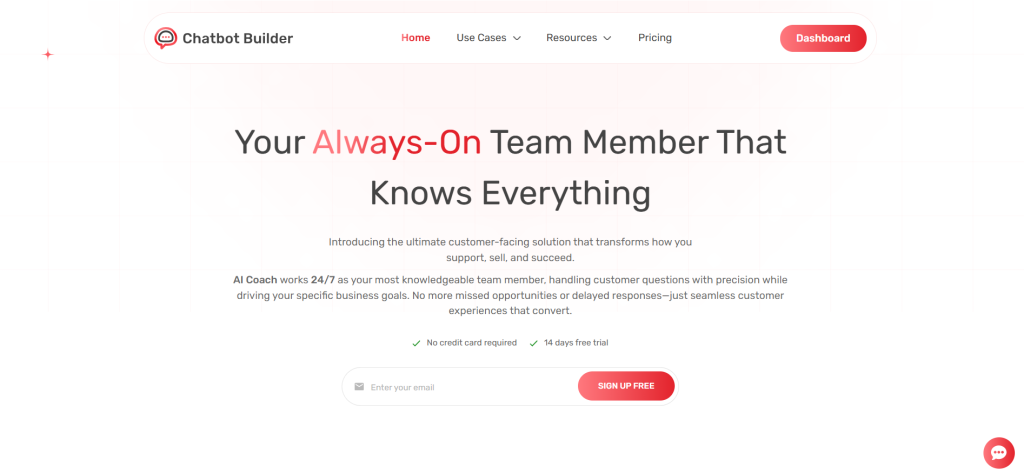
Here is how to put the principles above into practice using ChatbotBuilder, step by step.
Start with a ticket audit, not a template
Before building any flows, export your last 3 to 6 months of support tickets and categorize them. ChatbotBuilder’s setup wizard includes a category-tagging tool that clusters similar tickets automatically.
Import your help center and FAQ content
Under Knowledge Sources, connect your help center URL, upload FAQ documents, or paste in your most-used macros. After import, review the auto-generated snippets for your top categories and tighten them. Shorter, more direct snippets perform better than long extracted paragraphs.
Connect your data sources
In Integrations, connect your order management system, billing platform, or CRM. This is what lets the bot move from “here is our general return policy” to “your order #4471 is eligible for return until June 22.”
Build your core flows around your top categories
In the Flow Builder, create a dedicated flow for each top category (order status, returns, billing, password reset, etc.). Each flow should identify the intent, gather any needed identifiers, pull relevant data if connected, and present a short answer with a follow-up action.
Configure escalation rules globally, not per-flow
In Escalation Settings, set up triggers including explicit human requests, sentiment and keyword flags, repetition detection, and confidence thresholds as global rules across every flow.
Set up context-rich handoffs
Under Handoff Configuration, enable “Pass conversation summary and collected data to agent” so escalations arrive in your live chat or helpdesk inbox with the full transcript and any account info, order numbers, or category tags the bot collected.
Launch to a limited audience first
Use Audience Rules to roll the bot out to a percentage of traffic, or to specific pages first, before going live site-wide.
Set up your analytics dashboard
In Reports, configure tracking for deflection rate, CSAT (bot-only vs. escalated), and re-contact rate, and set up a weekly digest so your team sees these numbers regularly.
Review and iterate weekly for the first month
Use the Conversation Logs view to read a sample of escalated and low-confidence conversations each week. Most performance gains happen in this iteration period, not the initial build.
Real Examples of Support Flows
Example 1: Order Status (Fully Automated)
Customer: where’s my order Bot: I can check that for you. Can you share the email address or order number you used?
Customer: ord-44218 Bot: Found it! Order #44218 shipped yesterday via FedEx and is estimated to arrive Thursday, June 18. Here is your tracking link: [link]. Anything else I can help with?
This flow never needs a human. It identifies the order, pulls live data, and gives a specific, useful answer in two steps.
Example 2: Subscription Cancellation (Partial Automation, Then Human)
Customer: I want to cancel my subscription Bot: I can help with that. Before I do, can I ask what is prompting the cancellation? Sometimes there is a quick fix, like adjusting your plan or pausing instead.
Customer: it’s too expensive right now Bot: Got it. We do have a lower-cost plan that might work better. Want me to show you the options, or go ahead with cancellation?
Customer: just cancel it Bot: Understood. I have flagged your account for cancellation, and a specialist will confirm the details and process it within 1 business day, since cancellations on your plan type require a quick account review. Anything else I can help with in the meantime?
This flow automates the conversation and offers a retention option without being pushy, but routes the actual cancellation to a human.
Example 3: Billing Dispute (Immediate Escalation with Context-Gathering)
Customer: I was charged $49 twice this month and I want one of them refunded Bot: That is definitely something our billing team should look at directly. While I get you connected, can you confirm the email on your account so they have everything ready?
Customer: it’s jordan@email.com Bot: Thanks, Jordan. I have pulled up your last 3 charges and shared them with our billing team along with this conversation. A specialist will follow up by email within a few hours to sort out the duplicate charge. Anything else I can help with while you wait?
This flow does useful prep work but does not attempt to issue a refund itself, which is appropriate given the financial and judgment-based nature of the request.
Conclusion
A customer support chatbot is not a magic fix, and it is not a replacement for a great support team. It is a filter that handles the repeatable, the predictable, and the time-sensitive so your human agents can focus on the conversations that genuinely require their judgment, empathy, and expertise.
The businesses that get this right share a few common traits. They start narrow, automating their highest-volume, lowest-ambiguity tickets rather than trying to cover everything at once. They treat escalation as a feature, not a fallback. They measure both deflection rate and CSAT, not just one or the other. And they review their conversation logs regularly, treating every failed or escalated conversation as a signal of where to improve.
According to McKinsey, companies that invest in AI-driven customer service automation see customer satisfaction scores rise alongside efficiency gains, provided the automation is well-designed and paired with strong human escalation paths. The two are not in tension. Done correctly, a good support bot makes your human support better, not redundant.
Start with your top 10 ticket categories, build clean escalation paths, connect to your live data where you can, and review the logs every week for the first month. That process, more than any individual feature or flow, is what separates the chatbot projects that quietly get abandoned from the ones that become a genuine competitive advantage.
Start automating support in minutes. Your 14-day free trial is waiting.
Frequently Asked Questions
How much of my support volume can realistically be automated?
Most businesses can automate 40 to 60% of ticket volume with a bot scoped to high-volume, low-ambiguity categories like order status, account questions, and basic how-to topics. Live data integrations drive the upper end of that range, according to research from IBM and Intercom.
Will customers be upset if they realize they are talking to a bot?
Generally not, as long as the bot is upfront about what it is, gives an easy path to a human, and does not pretend to be something it is not. Distrust usually comes from concealment or confidently wrong answers, not automation itself.
What is the difference between deflection rate and CSAT, and why track both?
Deflection rate measures volume reduction: how many conversations the bot handles without escalating. CSAT measures whether customers were actually satisfied with that outcome. A high deflection rate with low CSAT usually means the bot is closing conversations without truly resolving them.
How do I train a bot if I do not have a big help center yet?
Start with your support team’s existing canned responses and recent ticket transcripts. These capture both common questions and the natural language customers use, and are often more useful for training than formal documentation.
How often should I update the bot’s content?
Treat it like your public help center: update it the same day any policy, price, or process changes. Beyond that, review conversation logs weekly during the first month after launch, then monthly or quarterly for ongoing maintenance.