


If you run a digital agency, you’ve probably had this conversation with a client at least once: “Can you build us a chatbot?” A year ago, that might have meant scoping out a custom development project, hiring a contractor, or politely saying no. In 2026, it means opening an agency chatbot builder, spinning up a branded AI chatbot in an afternoon, and adding a new recurring revenue line to your business.
This guide is written for agency owners, freelancers, and AI automation consultants who want to actually understand how this works, not just skim a listicle. We’ll walk through what an agency chatbot builder is, how the technology works under the hood, what features actually matter, how to price and resell chatbots profitably, and the mistakes that quietly kill agency chatbot programs before they scale.
By the end, you’ll have a concrete framework for turning AI chatbots into a real chatbot business, whether that’s a side offer bolted onto your existing services or the centerpiece of a new AI automation agency.
Takeaway: An agency chatbot builder isn’t just software, it’s the operational backbone for turning AI chatbots into a scalable, white-labeled service line.
What Is an Agency Chatbot Builder?
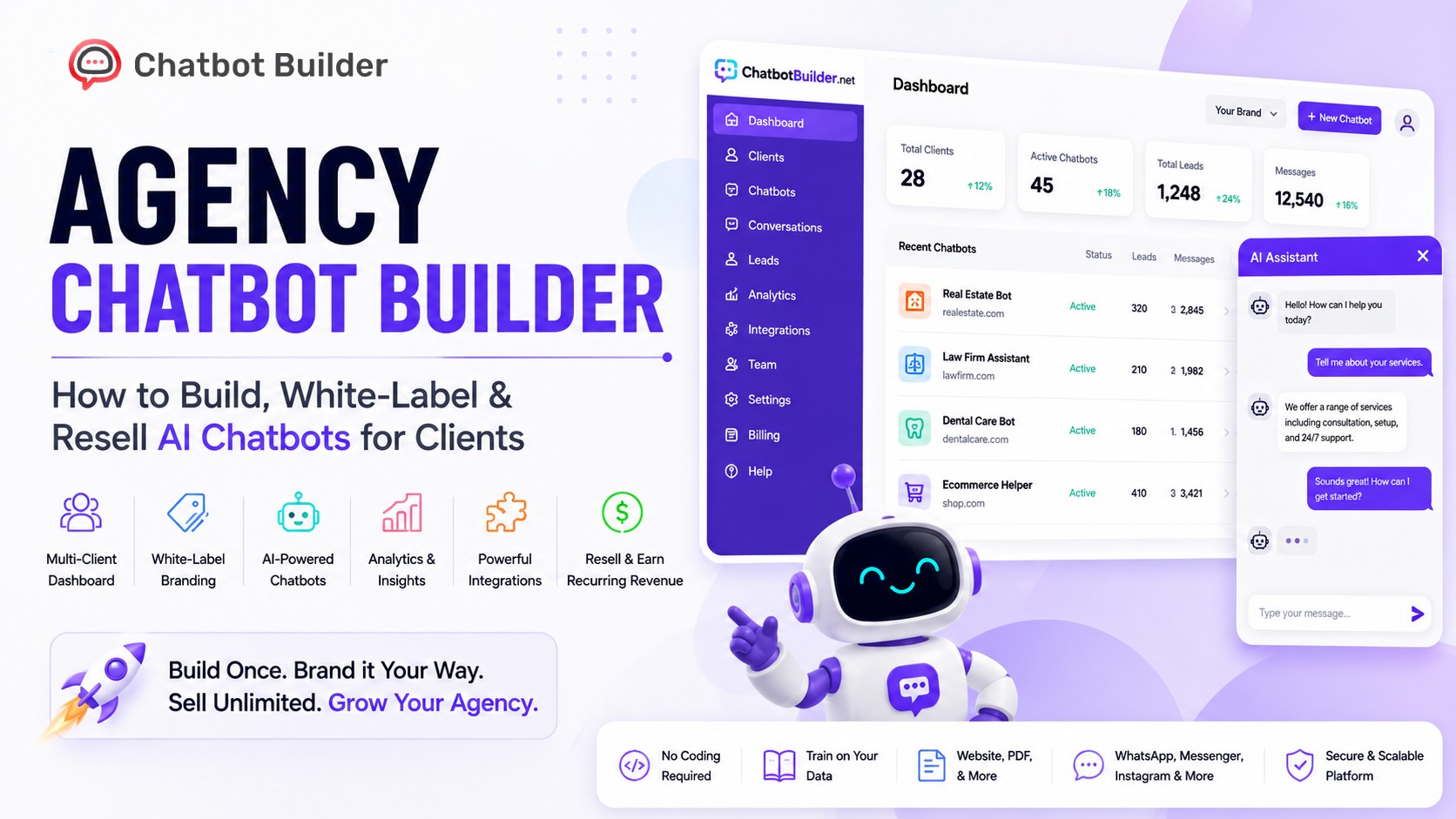
An agency chatbot builder is a platform purpose-built for agencies and consultants who need to create, manage, and resell AI chatbots across multiple clients, under their own brand, not the software vendor’s.
This is a meaningfully different product category than a standard AI chatbot builder aimed at a single business. A regular chatbot tool is designed for one company building one bot for its own website. An agency-grade platform is designed for one operator managing dozens (or hundreds) of chatbots, each belonging to a different client, often with different branding, data, and billing.
Three things define a true agency chatbot builder:
1. Multi-tenant architecture: Every client’s chatbot, data, and conversations are isolated from every other client’s, even though they live on the same platform.
2. White-label capability: The agency’s logo, domain, and brand appear throughout, with no visible trace of the underlying software vendor.
3. Centralized management: One dashboard to build, monitor, and bill across every client account, instead of logging into separate tools per client.
If a platform is missing any of these three, it’s a chatbot tool an agency happens to use, not an agency chatbot builder.
Why Every Digital Agency Needs an Agency Chatbot Builder
Digital agencies have spent the last decade adding services, SEO, PPC, web design, social media management, largely because clients want a single vendor who “handles everything.” AI chatbots are following the exact same pattern, and agencies that don’t offer them are leaving an obvious upsell on the table.
Here’s the practical case:
1. Clients are already asking for it. Search interest in “AI chatbot for my business” has grown steadily, and most small business owners don’t know where to start, which is exactly the gap an agency fills.
2. It’s recurring revenue, not a one-off project. A chatbot needs ongoing training, monitoring, and optimization, which naturally supports a monthly retainer instead of a single invoice.
3. It strengthens client retention. A client paying you for a chatbot that answers real customer questions and books real appointments is a client who sees tangible, measurable value every month.
4. The barrier to entry has dropped. You no longer need developers or a dataset science background, a modern AI chatbot platform handles the heavy lifting.
There’s also a defensive angle worth naming plainly: if you don’t offer this, a competitor agency will, and they’ll use it as a wedge to take your client relationship.
How an Agency Chatbot Builder Works
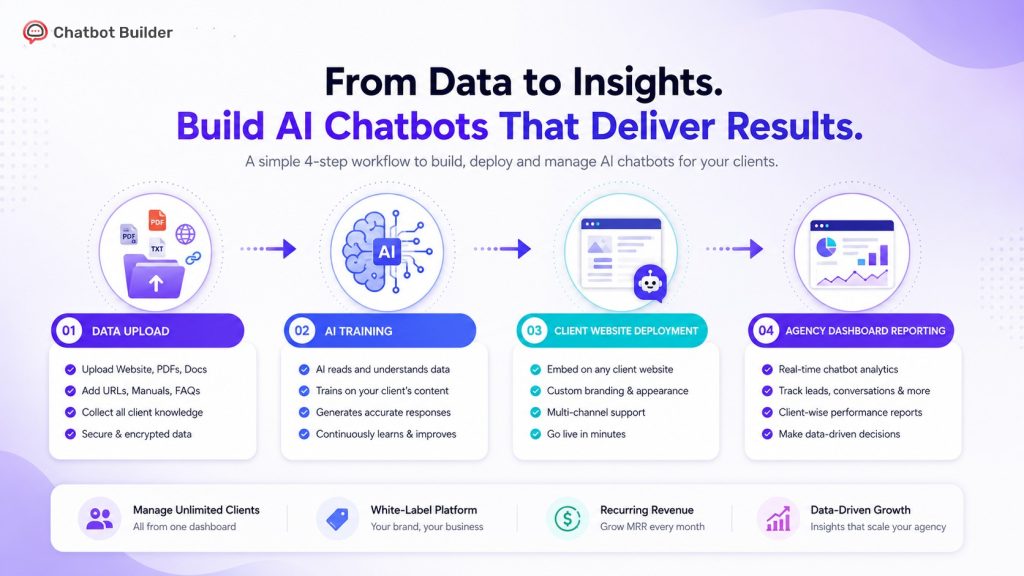
At a high level, an agency chatbot builder connects four layers: data ingestion, AI processing, deployment, and client-facing management. Understanding this flow helps you evaluate platforms and explain the value to clients in plain language.
1. Data ingestion. You feed the platform your client’s knowledge, website content, PDFs, FAQs, product catalogs, or a support documentation library. The platform indexes this content so the chatbot can answer questions accurately.
2. AI processing. When a website visitor asks a question, the chatbot’s underlying language model retrieves relevant information from the ingested data and generates a natural-language response, rather than matching rigid keyword rules like older bots did.
3. Deployment. The finished chatbot is embedded on the client’s website, app, or messaging channels (like SMS or WhatsApp) via a small code snippet or integration.
4. Management and reporting. The agency monitors conversations, reviews performance analytics, retrains the bot as needed, and reports results back to the client, all from one central dashboard.
This is a fundamentally different build process than legacy chatbots, which relied on manually scripted decision trees (“If user says X, respond with Y”). Modern AI chatbot software understands intent and context, which is why it can hold a genuinely useful conversation instead of just routing users through a rigid menu.
Essential Features Every Agency Chatbot Builder Should Have
Not all platforms marketed to agencies are actually built for agency workflows. Here’s what to look for before you commit to one.
| Feature | Why It Matters for Agencies |
| White-label branding (logo, domain, widget) | Client sees only your brand, protecting your positioning and pricing power |
| Multi-client dashboard | Manage every client chatbot from a single login instead of juggling accounts |
| Sub-account / team permissions | Let team members or clients access limited views without exposing other accounts |
| Custom domain & branded login portal | Reinforces your agency as the software provider, not a reseller |
| Reseller / markup pricing controls | Set your own client-facing pricing independent of platform cost |
| Analytics and reporting per client | Justify retainers with concrete performance data (leads, resolved queries, CSAT) |
| Integrations (CRM, calendar, email, SMS) | Chatbots that book appointments or sync leads deliver clearer ROI |
| Multi-channel deployment | Website, Facebook Messenger, WhatsApp, SMS from one build |
| Training on custom data (docs, URLs, FAQs) | Faster setup, more accurate answers, less manual scripting |
| Human handoff / live chat escalation | Keeps complex conversations from frustrating end users |
If a platform lacks white-labeling or a multi-client dashboard, it’s not really an Agency Chatbot Builder, it’s a single-business tool you’re trying to stretch across clients, and that mismatch tends to surface at the worst possible time (mid-onboarding with a new client).
Benefits of Using an Agency Chatbot Builder
| Benefit | Impact on Your Agency |
| New recurring revenue stream | Monthly retainers instead of one-time project fees |
| Faster client onboarding | Bots can go live in days, not weeks |
| Higher client retention | Ongoing value delivery keeps clients engaged month over month |
| Lower delivery cost per client | No developers needed; one operator can manage many accounts |
| Stronger brand positioning | You appear as an AI-capable, modern agency, not a legacy vendor |
| Scalable service delivery | Templates and reusable workflows speed up each new client build |
| Data-backed client reporting | Concrete metrics make retainer renewals an easier conversation |
The compounding effect matters most here. Your first chatbot build might take a full day. Your tenth, using saved templates and a repeatable onboarding checklist, might take under an hour. That efficiency curve is where the real margin lives.
Step-by-Step: How to Build AI Chatbots for Clients
Here’s a practical, repeatable workflow you can use for every new client engagement.
1. Discovery call. Identify the client’s goals, lead capture, customer support deflection, appointment booking, FAQ handling, before touching any software.
2. Gather source content. Collect the client’s website URLs, product documents, FAQs, and any existing support scripts to use as training data.
3. Set up the client workspace. Create a new client instance inside your agency chatbot builder, keeping data fully separated from other clients.
4. Train the chatbot. Upload documents and connect website URLs so the AI can index the client’s actual content and tone.
5. Customize branding and tone. Set the widget color, logo, greeting message, and personality to match the client’s brand voice.
6. Configure integrations. Connect CRM, calendar, or email tools so leads and bookings flow automatically into the client’s existing systems.
7. Test extensively. Run realistic customer questions through the bot and correct any inaccurate or off-brand responses before launch.
8. Deploy to the client’s site. Add the embed snippet to their website, app, or messaging channels.
9. Monitor and report. Review conversation logs weekly in the first month, then monthly, and share performance summaries with the client.
10. Optimize continuously. Retrain on new content, add FAQs based on real user questions, and refine responses over time.
This process, once documented, becomes your onboarding SOP, the single most valuable internal asset for scaling a chatbot business past your first few clients.
How to White-Label and Resell AI Chatbots
White-labeling is the mechanism that turns a chatbot tool into an agency product. Here’s how to do it properly.
1. Choose a white label chatbot builder that fully removes vendor branding. Look for custom domains, removable “powered by” tags, and a branded client portal, not just a logo swap on the widget.
2. Package the chatbot as part of a named service. Instead of selling “a chatbot,” sell “AI Customer Support,” “24/7 Lead Capture,” or “AI Booking Assistant”, outcome-based names sell better than feature names.
3. Set tiered, outcome-based pricing. Base your pricing on value delivered (leads captured, hours saved, tickets deflected) rather than just the platform’s raw cost to you.
4. Bundle chatbots into existing retainers. If you already manage a client’s website or ads, adding a chatbot as an add-on service reduces the sales friction of a brand-new pitch.
5. Maintain your margin with a clear markup structure. Most agencies mark up chatbot services 2–5x their platform cost, similar to standard agency markup on hosting or ad spend.
6. Create a simple client-facing sales one-pager. Clients buy outcomes, not architecture, so keep the pitch focused on results, not the technical build process.
As an AI chatbot reseller, your job is less about the underlying technology and more about packaging, pricing, and positioning it as a clear business outcome for the client.
Best Industries for Agency Chatbots
Some industries adopt chatbots faster and see clearer ROI than others. Here’s where agencies typically find the fastest wins.
| Industry | Common Chatbot Use Case | Why It Works |
| Real estate | Lead qualification, property Q&A, showing scheduling | High lead volume, repetitive questions |
| Healthcare & dental | Appointment booking, FAQ, intake forms | Reduces front-desk call volume |
| E-commerce | Product recommendations, order status, returns | 24/7 support without added headcount |
| Legal services | Intake screening, FAQ, consultation booking | Filters unqualified leads before a call |
| Home services (HVAC, plumbing) | Quote requests, scheduling, emergency triage | High-intent, time-sensitive inquiries |
| SaaS & tech | Onboarding help, support deflection | Reduces support ticket volume |
| Education & coaching | Enrollment questions, course FAQs | Handles repetitive prospective-student queries |
Agencies that specialize in one or two of these verticals tend to close deals faster, since they can show industry-specific examples and speak the client’s language immediately.
Agency Chatbot Pricing Guide
Pricing is where most new chatbot resellers hesitate. Here’s a realistic framework based on common agency structures.
| Pricing Model | Typical Range (USD/month per client) | Best For |
| Flat monthly retainer | $99–$299 | Small businesses, simple FAQ/support bots |
| Tiered by usage (conversation volume) | $150–$500 | Clients with fluctuating traffic |
| Outcome-based (per qualified lead) | $10–$50 per lead | Real estate, home services, legal |
| Setup fee + monthly maintenance | $500–$1,500 setup + $100–$300/mo | Agencies wanting upfront cash flow |
| Bundled into existing retainer | Added $150–$400 to existing invoice | Agencies with existing marketing clients |
A common mistake is underpricing out of fear that “it’s just a chatbot.” In practice, clients aren’t paying for the software. They’re paying for the leads captured, hours saved on support, and appointments booked automatically. Price against that value, not against your monthly platform subscription cost.
Agency Chatbot Builder vs Traditional Chatbot Software
| Factor | Agency Chatbot Builder | Traditional Chatbot Software |
| Designed for | Multiple clients, resold under agency brand | Single business, internal use only |
| Branding | Fully white-labeled | Vendor branding visible |
| Client management | Centralized multi-client dashboard | One account per business |
| Pricing structure | Supports markup and reseller margins | Fixed retail pricing, no resale model |
| Scalability | Built to add unlimited clients | Built for one team’s use case |
| Reporting | Per-client analytics and billing | Single-account analytics only |
| Ideal user | Agencies, freelancers, consultants | In-house marketing or support teams |
If you’re building chatbots for clients rather than for your own business, a traditional single-tenant chatbot tool will eventually force you into workarounds, separate logins per client, manual rebranding, and no centralized reporting. An agency chatbot builder is purpose-built to avoid exactly that friction.
Best Practices for Managing Multiple Client Chatbots
Managing dozens of chatbots without a system is how agencies end up with outdated bots, angry clients, and support fires. These practices keep things scalable.
1. Standardize your onboarding checklist. Use the same discovery, training, and QA process for every client to avoid inconsistent quality.
2. Set a recurring review cadence. Check every client bot’s conversation logs at least monthly to catch inaccurate or outdated answers.
3. Use templates for common industries. Build reusable FAQ sets and flows for your top verticals so new client setups take hours, not days.
4. Separate client data completely. Never let one client’s training data or conversation history bleed into another’s, this is both a trust and compliance issue.
5. Document escalation paths. Make sure every chatbot has a clear human handoff process for questions it can’t answer confidently.
6. Report proactively, not just on request. Sending a simple monthly performance summary (leads captured, top questions asked) reinforces retainer value without the client asking.
7. Assign clear internal ownership. As you scale past 10–15 clients, designate a specific team member responsible for chatbot QA and updates.
This is where client chatbot management becomes a discipline of its own, not just a side task bolted onto account management.
Common Mistakes Agencies Make
1. Launching without proper training data. A chatbot trained on a thin FAQ page will hallucinate or give vague answers, damaging client trust immediately.
2. Skipping the QA/testing phase. Deploying without testing real customer questions is the single most common cause of embarrassing chatbot mistakes.
3. Underpricing based on software cost, not client value. This traps agencies in low-margin deals that don’t scale.
4. No clear escalation to a human. Bots that can’t gracefully hand off frustrated users create worse experiences than no chatbot at all.
5. Treating it as “set and forget.” Chatbots need ongoing retraining as products, services, and FAQs change, since an untouched bot degrades in accuracy over time.
6. No reporting cadence with clients. Without visible proof of value, chatbot retainers are among the first line items clients cut.
7. Choosing a platform without true white-labeling. Discovering mid-project that a platform’s branding can’t be fully removed is a credibility problem you don’t want to explain to a client.
Real Agency Success Story
A 6-person digital marketing agency serving local home services businesses (HVAC, plumbing, and roofing companies) added AI chatbots as a new service line in early 2025. They started with three existing clients, using a white label AI chatbot platform to deploy 24/7 quote-request bots trained on each company’s service pages and pricing FAQs.
Within the first 90 days, all three clients reported a noticeable increase in after-hours lead capture, inquiries that previously went to voicemail were now being answered, qualified, and routed to the sales team automatically. The agency used this as a case study to pitch the same service to its full client roster.
By month six, the agency had added chatbot services to 14 clients at an average of $200/month per account, adding roughly $2,800 in new monthly recurring revenue with minimal added headcount, since one account manager handled the training, monitoring, and reporting for all 14 bots using templated workflows.
The lesson here isn’t that chatbots are magic. It’s that a documented process, applied consistently across similar clients in the same vertical, compounds quickly.
Why ChatbotBuilder.net Is the Best Agency Chatbot Builder
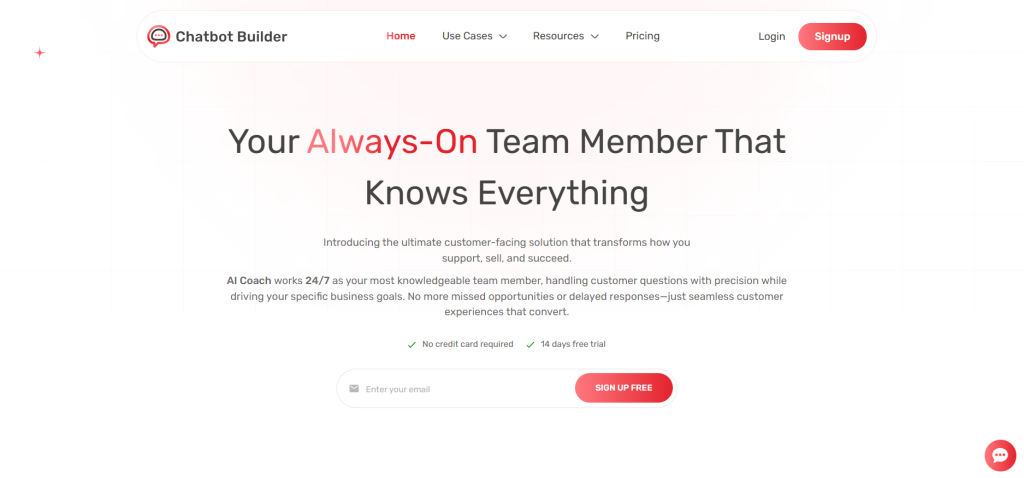
Everything covered in this guide points to the same conclusion: agencies need a platform built specifically for multi-client delivery, not a single-business tool stretched past its design.
ChatbotBuilder.net is built around that exact requirement. It offers full white-label branding so your agency name, not the platform’s, is what clients see. It includes a centralized multi-client dashboard, so you can build, monitor, and manage every client’s chatbot from one login instead of juggling separate accounts. And it supports flexible reseller pricing, so you control your own client-facing rates and margins.
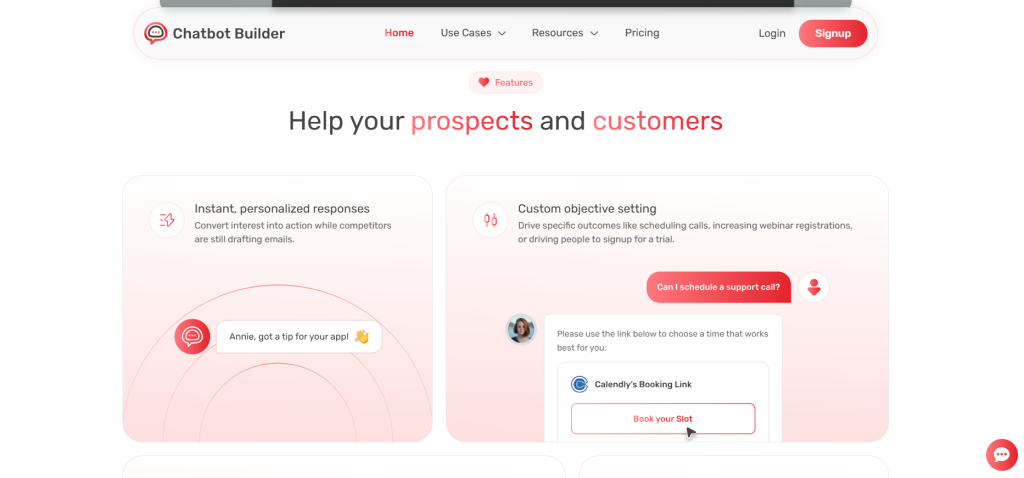
For agencies evaluating platforms against the feature checklist earlier in this guide (white-labeling, multi-client management, training on custom data, integrations, and reporting), ChatbotBuilder.net is designed to check each of those boxes without requiring workarounds or custom development.
If you’re serious about turning AI chatbots into a recurring revenue line for your agency, the platform you choose should remove friction at every step, onboarding, branding, billing, and reporting. That’s the standard ChatbotBuilder.net is built to.
Final Thoughts
The agencies that win with AI chatbots in 2026 won’t be the ones with the flashiest bot. They’ll be the ones with the clearest process, the tightest onboarding, and a platform built for managing many clients instead of one. An agency chatbot builder gives you the infrastructure; a documented, repeatable delivery process is what turns that infrastructure into real, scalable revenue.
If you’re ready to move from “we should probably offer chatbots” to actually shipping them for clients, start with a platform built for exactly this use case.
Start building and reselling AI chatbots today with ChatbotBuilder.net, signup and launch your first white-labeled client chatbot in minutes.
Frequently Asked Questions
What is an agency chatbot builder used for?
It’s used to build, brand, and manage AI chatbots for multiple clients from a single platform, allowing agencies to resell chatbot services under their own brand.
Can I white-label an AI chatbot and sell it under my own brand?
Yes. Platforms designed for agencies allow you to remove vendor branding, use your own domain, and present the chatbot as your agency’s own product.
How much should I charge clients for an AI chatbot?
Most agencies charge between $99 and $500 per month per client, depending on complexity, usage volume, and whether pricing is outcome-based (per lead) or flat-rate.
Do I need coding experience to build chatbots for clients?
No. Modern AI chatbot builders use no-code interfaces where you upload content and configure settings rather than writing scripts or code.
How long does it take to build a chatbot for a client?
A straightforward chatbot can typically be trained and deployed within a few hours to a couple of days, depending on how much training content the client provides.
What’s the difference between a chatbot builder and an agency chatbot builder?
A standard chatbot builder serves one business; an agency chatbot builder adds multi-client management, white-labeling, and reseller pricing controls needed to serve many clients at once.
Is reselling AI chatbots a profitable business model?
It can be, since chatbots typically run on recurring monthly pricing with relatively low ongoing delivery cost once onboarding processes are templated and repeatable.