


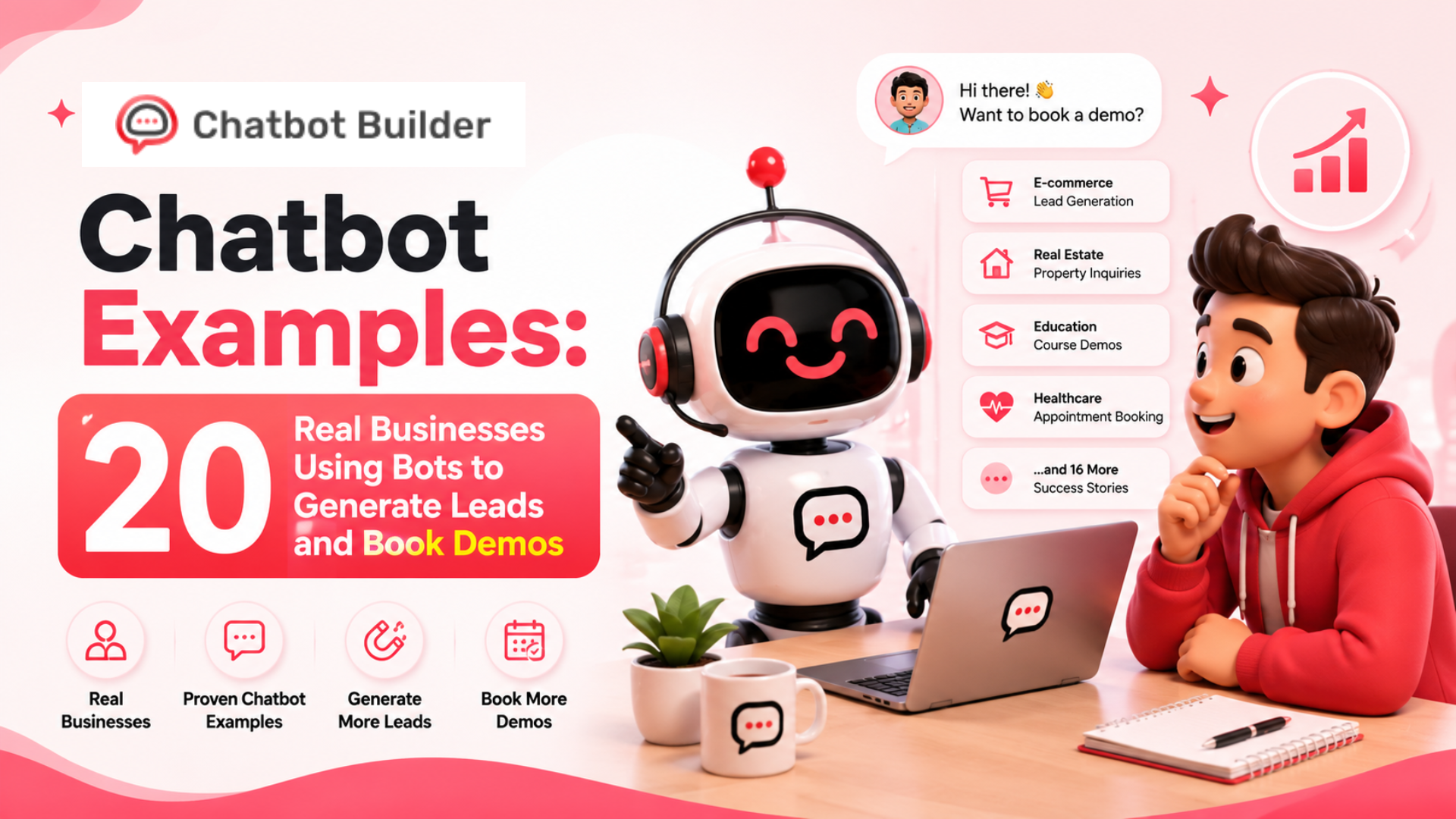
Chatbot Examples: 20 Real Businesses Using Bots to Generate Leads and Book Demos
Summary Table: 20 Chatbot Examples at a Glance
| # | Business Type | Bot Purpose | Key Result |
| 1 | SaaS Startup | Lead qualification | 3x more qualified leads |
| 2 | Marketing Agency | Demo booking | 40% fewer no-shows |
| 3 | E-commerce Brand | Product recommendation | 25% lift in AOV |
| 4 | Real Estate Firm | Buyer qualification | 2x appointments booked |
| 5 | B2B Software | Pricing page bot | 60% more demo requests |
| 6 | HR Tech Platform | Candidate screening | 50% faster hiring |
| 7 | Insurance Agency | Quote generation | 35% lead increase |
| 8 | Law Firm | Intake bot | 3x consultation bookings |
| 9 | Digital Agency | Client onboarding | 80% less back-and-forth |
| 10 | EdTech Platform | Course advisor | 2x enrollment rate |
| 11 | Healthcare Clinic | Appointment bot | 45% drop in no-shows |
| 12 | Logistics Company | RFQ bot | 28% more qualified RFQs |
| 13 | Fitness Studio | Membership bot | 30% signup increase |
| 14 | Financial Advisor | Discovery bot | 40% more booked calls |
| 15 | Retail Brand | Cart recovery bot | 22% cart recovery rate |
| 16 | Cybersecurity Firm | Assessment bot | 55% more trial signups |
| 17 | Travel Agency | Trip planner bot | 3x lead-to-booking rate |
| 18 | Recruitment Firm | Candidate bot | 60% faster shortlisting |
| 19 | Event Company | Registration bot | 90% form completion rate |
| 20 | Consulting Firm | Proposal bot | 2x RFP conversions |
Introduction
Most websites are basically online brochures. People land, scroll around, maybe click one or two things, and then leave. No conversation happened. No lead was captured. The business has no idea who stopped by or what they were looking for.
That’s the problem chatbots actually solve when they’re built right.
Not the annoying pop-up kind that says “Hi! How can I help you today?” and then gives you nothing useful. The chatbot examples worth paying attention to are the ones doing a real job inside a real funnel – qualifying leads before a sales rep wastes time, booking demos. At the same time, the prospect is still warm, recovering carts before the customer opens a competitor’s tab.
This article breaks down 20 of those chatbot examples. Each one covers what the bot does, where it lives on the site, what the conversation looks like, and what result it produces. There’s also a note on how to build each one using ChatbotBuilder templates.
Whether you run a SaaS product, a local service business, or an agency, at least a handful of these chatbot examples will map directly to something you’re trying to fix in your funnel right now.
Lead Generation Chatbot Examples
These chatbot examples are built around one goal – turning anonymous visitors into real, qualified prospects your team can actually work with.
1. SaaS Startup – The Qualifying Bot That Replaced a Contact Form
What the bot does: This startup pulled its generic contact form off the homepage and dropped in a chatbot that asks three questions before collecting any contact details. Company size, current tool stack, and biggest pain point. The answers determine whether someone gets routed to sales or handed a resource instead.
Trigger and placement: Exit-intent popup on the homepage fires after the visitor has been on the page for 45 seconds.
Conversation flow:
- “Figuring out if we’re a fit? Let me ask you a few quick things.”
- “How many people are on your team?” (dropdown: 1-10, 11-50, 50+)
- “What tools are you using for this right now?”
- “What’s your biggest frustration with how it’s working?”
- Strong fit: “Let me connect you with someone. Book a 15-min call here.”
- Weak fit: “Here’s something that might help.” + email capture
Result: Qualified leads tripled within 60 days. The form got fewer submissions overall, but every lead that came through was worth following up on.
Build this with ChatbotBuilder: Start with the Lead Qualification template. Use conditional logic to branch by company size. Push responses to your CRM via webhook.
2. Insurance Agency – Quote Bot on a Static Service Page
What the bot does: Instead of a “Get a Quote” button that leads to a long form, this independent agency built a chatbot that walks the visitor through the quote conversation. Coverage type, ZIP code, current provider, rough budget. The agent gets a pre-qualified lead instead of a blank inquiry.
Trigger and placement: Sticky widget on the auto insurance service page. Appears after the visitor scrolls 60% down the page.
Conversation flow:
- “Looking for a better rate on your auto insurance?”
- “What type of coverage do you need?” (Full, Liability, Not sure)
- “What’s your ZIP code?”
- “Who are you currently insured with?”
- “What’s your monthly budget range?”
- Captures name and email: “We’ll send your custom quote within 24 hours.”
Result: Leads went up 35% month over month. Average quote value was higher, too, because the bot filtered out low-intent visitors before the agent ever got on a call.
Build this with ChatbotBuilder: Use the Quote Generation template. Map each answer to a hidden field. Connect to your agency management system.
3. Law Firm – Intake Bot for High-Intent Visitors
What the bot does: People visiting a personal injury firm’s website don’t want to call a number or fill out a five-field form. This firm built a chatbot that handles the first conversation – case type, incident date, whether they’ve spoken to another attorney. The bot pre-qualifies before anyone picks up the phone.
Trigger and placement: Time-based trigger on practice area landing pages. Fires after 30 seconds on the page.
Conversation flow:
- “Have you been injured in an accident? Let’s see what your case looks like.”
- “What type of accident was it?” (Car, Slip and fall, Workplace, Other)
- “When did this happen?” (Within 30 days, 1-6 months ago, More than 6 months ago)
- “Have you already spoken with another attorney?”
- Captures name, phone, email: “Someone from our team will call you within 2 hours.”
Result: Consultation bookings tripled. The firm also cut its third-party intake service because the bot handled initial screening more consistently than the vendor did.
Build this with ChatbotBuilder: Use the Legal Intake template. Set up SMS alerts so your team gets notified the moment a high-priority lead submits.
4. Financial Advisor – Discovery Bot to Pre-Qualify Before a Call
What the bot does: A fee-only financial advisor was burning 30 minutes on intro calls just figuring out if the prospect was even a fit. The chatbot handles that entire discovery conversation upfront. Investable assets, financial goals, timeline. Only the right people book a call.
Trigger and placement: Loads immediately on the “Work With Us” page.
Conversation flow:
- “Before you book, let me make sure we’re actually the right fit for each other.”
- “What’s your main financial goal right now?” (Retirement, Wealth building, Estate planning, Tax strategy)
- “What’s your approximate investable asset range?” (Under $100K, $100K-$500K, $500K+)
- “When are you hoping to start working with an advisor?”
- Qualified: calendar booking link
- Not a fit: free resource download + email nurture sequence
Result: 40% more booked intro calls. Close rate on those calls went up, too, because everyone arriving had already passed the basic fit check.
Build this with ChatbotBuilder: Use the Advisor Discovery template. Connect to Calendly for booking. Build asset threshold logic to filter unqualified leads automatically.
5. Cybersecurity Firm – Assessment Bot That Earns Trust First
What the bot does: This firm stopped leading with a pitch. Their chatbot offers a free security assessment instead. Visitors answer questions about team size, current tools, policies, and recent incidents. They get a risk score back. Then the demo offer follows naturally.
Trigger and placement: Homepage and blog post CTAs. Fires when someone clicks “Check Your Security Score.”
Conversation flow:
- “Let’s check your current security posture. Takes about 2 minutes.”
- Five questions covering team size, tools in use, internal policies, and incident history
- Generates a score: Low, Medium, or High risk
- High risk: “You’ve got some gaps worth addressing. Want to see how we fix this?” – demo booking.
- Low risk: email capture for security tips newsletter
Result: Free trial signups went up 55%. The assessment format removed the sales pressure because prospects felt like they were getting a real deliverable before being asked for anything.
Build this with ChatbotBuilder: Use the Assessment and Lead Gen template. Build score calculations with conditional logic. Trigger demo offers only to high-risk scores.
Demo Booking Chatbot Examples
These chatbot examples tackle a specific problem – the gap between someone being interested and actually showing up for a demo.
6. B2B Software Company – Pricing Page Bot
What the bot does: This analytics platform had a pricing page with solid traffic and terrible conversion. Visitors were getting confused by tiered pricing and bouncing. A chatbot now answers pricing questions in real time and routes visitors who are ready to buy toward a sales call.
Trigger and placement: Fires 20 seconds into a pricing page visit, or immediately when the visitor scrolls past the pricing table.
Conversation flow:
- “Questions about pricing? I can help figure out which plan makes sense for you.”
- “How many users would be on the account?” (1-5, 6-20, 20+)
- “What matters most to you?” (Reporting, Integrations, Automation, All of the above)
- “Want to see it in action?” – books a demo via integrated calendar
- Or: “Here’s exactly what each tier includes.” + email capture
Result: Demo requests from the pricing page went up 60%. Bounce rate dropped 30%.
Build this with ChatbotBuilder: Use the Pricing Page Bot template. Add FAQ logic for the most common objections. Sync with HubSpot or Salesforce to log visitor intent data.
7. Marketing Agency – Demo Bot That Cuts No-Shows
What the bot does: This agency was booking plenty of discovery calls, but almost 35% of prospects weren’t showing up. They rebuilt the booking flow around a chatbot that collects context before confirming the calendar slot. Prospects who answer questions before booking feel more committed to the call.
Trigger and placement: Embedded on the “Book a Call” page in place of a raw Calendly link.
Conversation flow:
- “Before you book, let’s make sure the call is actually useful for you.”
- “What’s your main focus this quarter?” (More leads, Better retention, Brand awareness, Other)
- “What’s your monthly marketing budget?” (Under $3K, $3K-$10K, $10K+)
- “Anything specific you want covered on the call?” (open text)
- Confirmation summary + calendar booking link
- Automated reminder sequence starts immediately after booking
Result: No-show rate fell from 35% to under 20%. The sales team also started every call with useful context instead of spending the first few minutes on basic discovery.
Build this with ChatbotBuilder: Use the Discovery Call Bot template. Use Zapier to push a pre-call briefing note to the relevant sales rep before each meeting.
8. HR Tech Platform – Demo Bot for a Complex Product
What the bot does: This HR software served everyone from 10-person startups to 500-person enterprises, but they were running one generic demo for all of them. Nobody was getting a demo that actually matched their situation. The chatbot now segments visitors by size and use case, then routes them to the right demo experience.
Trigger and placement: Homepage hero section. Loads immediately when the page opens.
Conversation flow:
- “What brings you here today – hiring, payroll, performance management, or all of the above?”
- “How many employees does your company have?”
- “Who would be the main user of this platform?” (HR Manager, Founder, Operations Lead)
- Based on segment: tailored demo pitch + relevant case study
- “Want to see this specific use case in a 20-minute demo?” – calendar booking
Result: Demo close rate improved by 45% because prospects were seeing something built for their situation instead of a one-size walkthrough.
Build this with ChatbotBuilder: Use the Segmented Demo Bot template. Build separate conversation branches for each persona. Route each segment to a different sales rep.
9. Logistics Company – RFQ Bot for High-Ticket Services
What the bot does: This third-party logistics company was getting quote requests by email, but the emails were always incomplete. Every inquiry kicked off a back-and-forth chain before a quote could be prepared. The bot collects everything upfront – freight type, frequency, origin, destination, and any special handling requirements.
Trigger and placement: Replaces the static form on the “Request a Quote” page.
Conversation flow:
- “Let’s get your quote started. A few quick questions.”
- “What type of freight are you shipping?” (LTL, FTL, Air, Ocean)
- “How often do you ship?” (Daily, Weekly, Monthly, One-time)
- “What’s your origin city or country?”
- “What’s your destination?”
- “Any special requirements?” (Hazmat, Temperature controlled, Oversized)
- Captures business name and contact: “A freight specialist will reach out within 4 hours.”
Result: Qualified RFQs went up 28% month over month. The sales team recovered roughly 2 hours per day that had been going into email back-and-forth.
Build this with ChatbotBuilder: Use the RFQ Bot template. Push completed quote requests to your ops team via Slack notification automatically.
10. EdTech Platform – Course Advisor Bot
What the bot does: An online learning platform with 80-plus courses was losing visitors who couldn’t figure out where to start. The chatbot asks about learning goals, current skill level, and available time per week, then recommends specific courses and offers to enroll or send an outline.
Trigger and placement: Course catalog page. Triggered when visitors scroll past the third course listing.
Conversation flow:
- “Not sure which course fits? Let me point you in the right direction.”
- “What’s your main goal?” (Career change, Upskilling, Freelancing, Personal interest)
- “What’s your current skill level in this area?” (Beginner, Intermediate, Advanced)
- “How many hours per week can you realistically commit?”
- Recommends two or three courses with brief descriptions
- “Want to enroll now or see the full course outline first?” – email capture for outline, or direct to checkout
Result: Enrollment rate from catalog page visitors doubled. Average session time went up because the bot gave visitors a reason to stay engaged instead of bouncing from an overwhelming list.
Build this with ChatbotBuilder: Use the Product Advisor template. Map goal and skill level combinations to specific course IDs. Connect to your LMS for direct enrollment handling.
Customer Support Chatbot Examples
Good support chatbot examples do more than answer questions. The best ones quietly generate leads while they’re at it.
11. Healthcare Clinic – Appointment Bot
What the bot does: A multi-specialty clinic was handling all appointment bookings by phone. Long hold times, missed after-hours calls, and frustrated patients. The chatbot now handles new patient intake, specialty selection, and appointment booking around the clock.
Trigger and placement: Persistent widget on every page of the clinic site. Also embedded in the Google Business profile link.
Conversation flow:
- “Hi! Looking to book an appointment or have a question about our services?”
- “Are you a new or returning patient?”
- “Which specialty do you need?” (General, Dermatology, Cardiology, Orthopedics, Other)
- “Do you have insurance?” (Yes, No, Not sure)
- “What days and times work best for you?”
- Confirms available slot – sends confirmation via email and SMS
Result: No-shows dropped 45% because of automated reminders. New patient bookings increased 30% because after-hours inquiries were finally being captured instead of being lost.
Build this with ChatbotBuilder: Use the Appointment Booking template. Connect with your practice management software via API. Enable SMS reminders through Twilio.
12. Fitness Studio – Membership Bot
What the bot does: A boutique fitness studio was fielding the same questions over and over on Instagram and its website. Pricing, class schedule, trial offers. The chatbot handles all of it and funnels interested visitors into a free trial class signup without anyone on the team lifting a finger.
Trigger and placement: Homepage and Instagram bio link. Loads immediately.
Conversation flow:
- “Welcome! Are you looking to join, check out a class, or just have a question?”
- “What type of classes interest you?” (Yoga, HIIT, Pilates, Strength)
- “Have you trained with us before?”
- New visitors: “We’d love to offer you a free trial class. Want to grab a spot?”
- Captures name, email, phone – sends schedule and booking link
Result: New member signups went up 30% in the first three months. Front desk staff reported handling 50% fewer repetitive questions by week four.
Build this with ChatbotBuilder: Use the Appointment and Lead Capture template. Set up an automated welcome sequence that fires right after signup.
13. Travel Agency – Trip Planner Bot
What the bot does: A boutique travel agency was spending the first 20 minutes of every discovery call collecting information that could have been gathered beforehand. The chatbot does that entire first conversation – destination, budget, travel party size, dates, and any must-have experiences – before a human agent gets involved.
Trigger and placement: Homepage and “Plan Your Trip” landing page.
Conversation flow:
- “Let’s start planning your trip. A few quick questions first.”
- “Where are you thinking of going, or do you need some inspiration?”
- “How many people are traveling?”
- “When are you planning to go?”
- “What’s your approximate per-person budget?”
- “Any special occasions or experiences you can’t miss?”
- High-budget leads: instant agent connection.
- Earlier-stage leads: automated package recommendations + email capture
Result: Lead-to-booking conversion tripled. Agents started every call with a full trip brief in hand instead of starting from scratch.
Build this with ChatbotBuilder: Use the Travel Advisor Bot template. Score leads by budget and timeline. Route premium leads to senior agents automatically.
Part 4: E-commerce Chatbot Examples
These chatbot examples are focused on revenue. Less friction, fewer abandoned carts, more personalized buying experiences.
14. Retail Brand – Cart Recovery Bot
What the bot does: A direct-to-consumer skincare brand added a chatbot to their cart abandonment flow – not just a discount email, but an actual conversation. The bot asks why the visitor didn’t complete the purchase and responds based on the actual answer.
Trigger and placement: Exit-intent trigger on the cart page.
Conversation flow:
- “Leaving without finishing? Can I help with something before you go?”
- “Was it the price, shipping cost, or something else?” (Price, Shipping, Not sure yet, Just browsing)
- Price concern: 10% discount code
- Shipping concern: highlights the free shipping threshold
- Just browsing: “Want us to save your cart and email it to you?”
- Email capture – cart recovery sequence starts.
Result: 22% cart recovery rate. Discount usage was lower than expected because many visitors just needed a nudge about the shipping policy, not a price break.
Build this with ChatbotBuilder: Use the Cart Recovery Bot template. Connect with Shopify via native integration. A/B test discount offers versus free shipping messaging.
15. E-commerce Brand – Product Recommendation Bot
What the bot does: A home goods brand with hundreds of products built a chatbot that acts like a personal shopper. It asks about room type, style preference, and budget, then surfaces three to five products with descriptions and direct add-to-cart links.
Trigger and placement: Shop page and product category pages.
Conversation flow:
- “Not sure where to start? Let me help you find the right fit.”
- “Which room are you shopping for?” (Living room, Bedroom, Kitchen, Office)
- “Which style feels most like you?” (Modern, Rustic, Minimalist, Eclectic)
- “What’s your budget for this piece?” (Under $200, $200-$500, $500+)
- Returns three to five products with brief descriptions and direct links to add to cart
Result: Average order value increased by 25%. Return visit rate improved because customers associated the brand with a helpful, personalized experience rather than a scrolling catalog.
Build this with ChatbotBuilder: Use the Product Advisor template. Sync your product catalog via API or manual upload. Refresh recommendations seasonally.
Agency Client Chatbot Examples
These chatbot examples were built either by agencies for their own pipeline or for the clients they serve.
16. Digital Agency – Client Onboarding Bot
What the bot does: A full-service digital agency was losing days at the start of every new client engagement to email threads collecting brand assets, credentials, goals, and timelines. The chatbot walks new clients through a structured intake in one sitting and auto-generates a project brief when they’re done.
Trigger and placement: Sent as a link in the welcome email after contract signing.
Conversation flow:
- “Welcome! Let’s get everything we need to kick off your project.”
- “What’s your main goal for this engagement?” (Lead gen, Brand awareness, Sales, Other)
- “Who’s the main point of contact on your team?”
- “What does success look like to you in 90 days?”
- Collects website URL, social handles, and Google Analytics access request
- Auto-sends completed intake summary to the project manager
Result: Back-and-forth emails during onboarding dropped 80%. The average project kickoff went from 12 days post-signing to 4 days.
Build this with ChatbotBuilder: Use the Client Intake template. Add file upload prompts for brand assets. Auto-generate a project brief PDF from the submitted responses.
17. Real Estate Agency – Buyer Qualification Bot
What the bot does: A mid-sized real estate agency was getting leads from multiple sources but burning hours qualifying buyers who weren’t ready to move. The chatbot handles the first conversation – budget, pre-approval status, preferred neighborhoods, and timeline – before any agent gets on a call.
Trigger and placement: Homepage, individual property listing pages, and Facebook ad landing pages.
Conversation flow:
- “Looking to buy? Let’s see what you’re working with.”
- “What’s your target budget?” (ranges from under $200K to $1M+)
- “Are you pre-approved for a mortgage?”
- “Which neighborhoods or areas are you focused on?”
- “When are you looking to move?”
- Pre-approved with near-term timeline: instant agent connection
- Earlier stage: neighborhood guide nurture sequence
Result: Qualified buyer appointments doubled. Agents reported spending significantly less time on calls that went nowhere.
Build this with ChatbotBuilder: Use the Real Estate Buyer Bot template. Route hot leads directly to an agent’s calendar. Tag each lead by buyer stage in your CRM.
18. Recruitment Firm – Candidate Screening Bot
What the bot does: A recruitment agency handling volume hiring for retail and logistics clients needed a faster way to screen applicants. The chatbot runs the first-round conversation – work authorization, availability, relevant experience, and salary expectations – so recruiters only spend time on candidates who passed the basic check.
Trigger and placement: “Apply Now” page and job alert emails.
Conversation flow:
- “Thanks for your interest! Let’s see if this role is a strong match.”
- “Are you authorized to work in [country] without sponsorship?”
- “Are you available to start within the next two weeks?”
- “Do you have experience in [specific skill or industry]?”
- “What’s your expected hourly rate or salary range?”
- Qualified candidates: booked for a phone interview
- Not a fit: added to the general talent pool with a polite message
Result: Shortlisting got 60% faster. Recruiters went from manually reviewing 200 applications per week to managing 40 pre-screened conversations.
Build this with ChatbotBuilder: Use the Candidate Screening template. Auto-flag unqualified candidates based on work authorization. Push qualified profiles to your ATS automatically.
19. Event Company – Registration Bot
What the bot does: An event management company was running multi-day conferences and watching people abandon long registration forms halfway through. The chatbot replaced the form entirely – collecting attendee details, session preferences, dietary requirements, and payment info as a conversation instead of a wall of fields.
Trigger and placement: Event registration landing page. Fires immediately when the page loads.
Conversation flow:
- “Let’s get you registered for [Event Name]!”
- “Are you registering as an individual or part of a group?”
- “Which sessions are you planning to attend?” (multi-select)
- “Any dietary requirements for the catered lunch?”
- “How did you hear about this event?”
- Collects payment info – sends confirmation email and adds to event CRM
Result: Form completion rate went from 55% to 90%. Group registrations went up because the bot made adding multiple attendees in one session genuinely easy.
Build this with ChatbotBuilder: Use the Event Registration template. Connect with Stripe for payment. Sync with Eventbrite or your event CRM.
20. Consulting Firm – Proposal Request Bot
What the bot does: A management consulting firm was receiving vague inbound requests that required multiple emails before a proposal could even be scoped. The chatbot collects project type, timeline, team size, core challenge, and decision-maker information before any consultant gets involved – so the first real conversation is actually productive.
Trigger and placement: “Work With Us” and “Request a Proposal” pages.
Conversation flow:
- “Let’s understand your project before we put together a proposal.”
- “What type of engagement are you looking for?” (Strategy, Operations, Technology, Organizational design)
- “What’s your project timeline?” (Under 3 months, 3-6 months, 6 months+)
- “How large is the team that this engagement would affect?”
- “What’s the core challenge you’re trying to solve?” (open text)
- “Who will be making the final decision on this project?”
- Qualified leads: partner-level callback within 24 hours
- Exploratory leads: relevant case study + fit call booking
Result: RFP-to-proposal conversion doubled. Proposals were more accurate from the start because the scoping conversation was fully informed before the first meeting.
Build this with ChatbotBuilder: Use the Proposal Request Bot template. Score complexity and budget fit automatically. Route each project type to the appropriate practice lead.
What Makes These Chatbot Examples Actually Work
After looking at all 20 of these chatbot examples together, a few things show up consistently in the ones that move the needle.
- They have one clear job. None of these bots is trying to do five things at once. A lead generation bot isn’t also managing support tickets. A demo booking bot isn’t upselling. When a chatbot has a defined purpose, the conversation flows better, and completion rates go up.
- They ask less than you’d expect. Every high-performing chatbot example here asks only what’s needed to move to the next step. Three questions are usually better than six. More questions mean more drop-offs, and drop-offs mean the bot isn’t doing its job.
- They give something before they ask for something. The cybersecurity assessment, the course advisor, the trip planner – all of them lead with value before requesting contact details. That’s the pattern that separates the chatbot examples that convert from the ones that just sit on a page.
- Placement and timing are intentional. These bots aren’t random homepage widgets. They’re on pricing pages, cart pages, application pages – places where visitor intent is already clear. The right conversation in the right place doubles conversion rates without changing a single word in the flow.
- They connect to the rest of the stack. Every bot in this list feeds data somewhere – a CRM, a calendar, a Slack channel, an email sequence. A chatbot that collects information and sends it nowhere is just a form that looks more interesting.
Build Any of These Chatbot Examples with ChatbotBuilder
ChatbotBuilder is a no-code platform that lets you design, train, and deploy AI chatbots without writing a single line of code. You can train your bot on your own documents, URLs, and FAQs so it actually knows your business before it talks to a single customer. It works across your website, WhatsApp, Instagram, Facebook Messenger, SMS, Telegram, and WordPress, so wherever your audience is, the bot goes there too. Features like lead capture, Zapier integration, human handoff, meeting scheduling, and real-time conversation tracking are all built in. Plans start at $25 per month with a 14-day free trial, and most people have their first bot live in under 30 minutes. Every chatbot example covered in this article can be built directly inside ChatbotBuilder using its ready-made templates.
Conclusion
These 20 chatbot examples cover everything from a personal injury law firm tripling consultation bookings to a logistics company cutting quote back-and-forth by 28%. The situations are different, but the logic is the same across all of them.
Visitors arrive with intent. The chatbot’s job is to meet that intent with a real conversation instead of a contact form, a phone number, or a generic landing page that doesn’t respond to anything.
The businesses getting results from these chatbot examples aren’t replacing their sales teams. They’re making it faster and easier for the right prospects to reach those teams – and making sure every conversation that happens is worth having.
Pick the use case that matches where your funnel is breaking right now. Build the bot, test it, and improve based on what people actually say inside it. Every one of these chatbot examples started as a first version that wasn’t perfect. The ones that performed got there because someone kept iterating.
Sign up for the free trial here and start optimizing the lead generation process today!