


An appointment booking chatbot should be the hardest-working thing on your website. Not your homepage headline. Not your pricing page. The bot that catches people the second they show interest and locks in a meeting before they talk themselves out of it.
Most businesses don’t have that. They have a contact form.
Last year, I watched a consultant lose a solid lead over a three-day email chain that went absolutely nowhere.
Day one: lead sends an inquiry. On day two: consultant replies asking for availability. Day three: lead sends three time options. Day four: consultant says two of those don’t work, proposes alternatives. The lead never replied again.
Was the lead flaky? Maybe. But here’s the thing: that same lead booked a call with a competitor the same day they sent their original inquiry. By the time my consultant friend was playing availability ping-pong, the deal was already done on the other side.
I bring this up because most people don’t think about what back-and-forth email chains actually cost them. It’s not just annoying. It’s genuinely losing you business, and you’ll never know exactly how much because the people who bounce don’t tell you they’re bouncing.
So let’s talk about the fix.
Your Leads Have a Very Short Attention Span. Shorter Than You Think.
There’s research from Harvard Business Review that found companies responding to leads within an hour are seven times more likely to have a meaningful conversation with a decision-maker than those who wait even two hours. Seven times. And that’s within the first hour, not the first day.
Most small businesses and independent operators aren’t hitting that window. Not even close. They’re replying when they get a chance, which could be tomorrow morning, which might as well be never for a lead who was hot at 9 PM on a Tuesday and is already talking to someone else by Wednesday.
An appointment booking chatbot is the only realistic way to fix this without hiring someone to monitor your inbox around the clock. The bot catches people the moment they show interest, doesn’t matter if it’s 2 AM or during your kid’s soccer game, and walks them straight to a booked call.
No waiting. No “I’ll get back to you.” And no three-day email chain.
The Invisible Leak in Most Service Businesses
Here’s something that took me a while to really understand.
When a lead drops off, you don’t get a notification. There’s no “lead lost” alert in your inbox. They just stop responding, and eventually you forget you were even waiting on them. The loss is invisible, which makes it way too easy to assume your conversion rate is fine when it might actually be terrible.
I’ve seen businesses do this audit where they go back through their email threads from the last six months and count how many initial inquiries never turned into a booked call. The number is usually shocking. One marketing agency I know found that almost 60% of their inbound leads just… evaporated somewhere between “we should set up a call” and actually getting on a calendar.
Sixty percent.
An appointment booking chatbot doesn’t fix all of that; some leads were never going to convert regardless. But removing scheduling friction from the equation catches a meaningful chunk of the people who were genuinely interested and just got lost in the process.
How an Appointment Booking Chatbot Works End to End
I want to be straightforward about this because there’s a lot of chatbot marketing out there that makes these things sound like magic. They’re not magic. They’re just consistently good at a specific job.
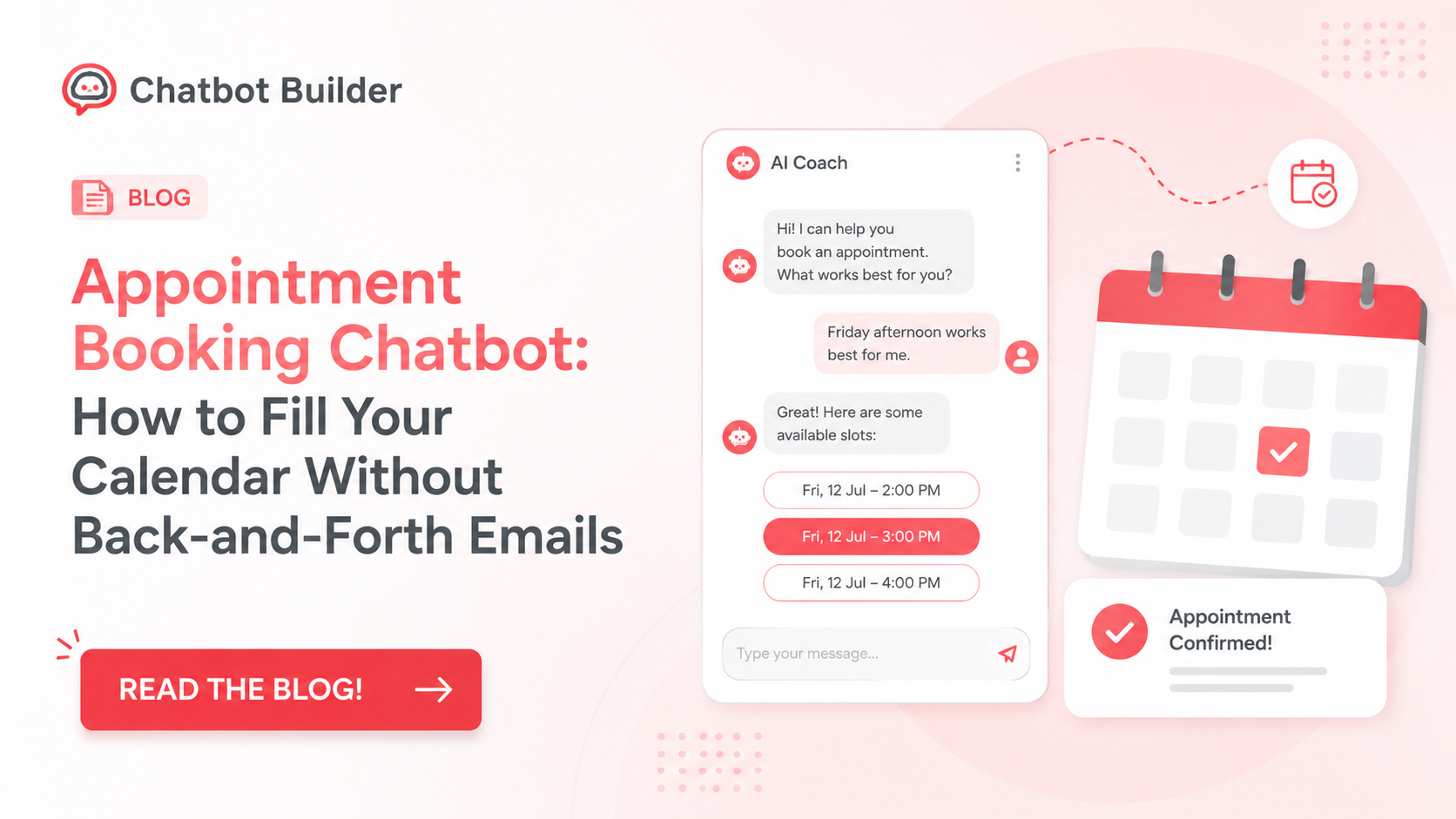
That job is: catch someone while they’re interested, ask a couple of quick questions to make sure they’re a real lead, show them when you’re available, get them booked, and make sure they actually show up.
That’s it. Five things.
Catching people while they’re interested means the bot responds the second someone lands on your site or sends a DM. Not when you check your phone. Immediately.
Asking a couple of quick questions means two questions, not twelve. What do you need help with? What’s your situation? Something that tells you if this person is worth 30 minutes of your time. If your qualifying flow has more than three questions before you show availability, cut it. People leave.
Showing when you’re available means the bot is connected to your actual calendar so it only offers times that are genuinely open. This sounds basic, but I’ve seen people try to fake this with “someone will reach out to schedule” responses, and it completely defeats the purpose.
Getting them booked means the person picks a slot and receives a confirmation instantly. No holding period, no “we’ll confirm within 24 hours.” Instant confirmation.
Making sure they show up means automated reminders. 24 hours before, one hour before. This alone is worth implementing even if you do nothing else on this list; no-show rates drop significantly with simple reminder sequences.
That’s a good appointment booking chatbot. Anything claiming to do much more than this is probably overcomplicating it.
How to Qualify Visitors Before Offering a Booking Slot
This is the part most people skip, and it’s the part that determines whether your calendar fills up with real opportunities or time-wasters.
The whole point of qualifying before booking is simple: not every person who wants your time deserves your time. That sounds harsh, but it’s just business math. If you’re a consultant charging $300 an hour and someone wants to book a free discovery call to figure out if they can afford you, that’s a conversation worth having. But if they’ve already told the bot they have a $500 total budget, you probably want to route them somewhere else: a resource, a lower-tier offer, whatever fits, rather than burning 30 minutes that won’t go anywhere.
The chatbot for scheduling handles this with conditional logic. You ask two or three questions and the answers determine what happens next.
Here’s what a basic qualifying flow looks like:
Question 1: “What are you looking to get help with?”
This tells you if they’re even in your service area. If you do enterprise software consulting and they’re asking about Shopify themes, you know immediately.
Question 2: “What’s your approximate budget for this?” or “How many people are on your team?”
This screens for fit without being awkward about it. The bot asks it naturally, not like an interrogation.
Question 3 (optional): “What’s your timeline looking like?”
Useful if you have a waitlist or if some opportunities are more urgent than others.
Based on those answers, the bot does one of three things:
- Shows the booking calendar because the person looks like a real fit
- Redirects to a resource or lower-tier option because they’re not quite there yet but not a waste of time either
- Sends a polite “we’re not the right fit” message because there’s no point booking a call that won’t go anywhere
This is how a chatbot for scheduling protects your calendar from getting packed with calls that never convert.
One thing I’d add: keep the qualifying questions conversational, not clinical. “What brings you in today?” lands very differently than “Please describe your use case.” Same information, completely different energy.
Integrating With Google Calendar and Calendly
The calendar integration is where things either work beautifully or fall apart completely. I’ve seen both.
Google Calendar integration is the most common setup and the most reliable. The bot connects directly to your Google Calendar, reads your current availability in real time, and only presents slots that are genuinely open. When someone books, the event gets created automatically with their name, contact info, and any details they shared during the qualifying flow. No manual entry. No chance of double-booking.
The setup is usually just authorizing the connection through OAuth; the bot platform asks for calendar permissions, you approve it, and the sync is live. Most decent chatbot platforms like Chatbot Builder handle this without you having to touch any code.
Calendly integration works slightly differently. Instead of the bot reading your calendar directly, it hands off to Calendly at the booking step. The qualifying happens inside the bot flow, and once someone passes the filter, they get presented with a Calendly link embedded or opened inside the chat. Calendly handles the actual slot selection and confirmation.
This setup works fine if you’re already deep into the Calendly ecosystem and don’t want to change how you manage your calendar. The main trade-off is that the handoff can feel a little clunky; the person goes from chatting in the bot to suddenly being on a Calendly page, compared to keeping the whole experience inside one conversation.
If you’re starting fresh, I’d go Google Calendar direct. Cleaner experience, fewer moving parts, easier to troubleshoot if something breaks.
A couple of things to get right regardless of which integration you use:
Set your buffer time. If calls run 45 minutes but you book them hourly, you’re going to be starting every call stressed. Build in a 15-minute buffer between slots and let the bot only show times that include that buffer.
Set your advance notice minimum. If someone tries to book a call 20 minutes from now, can you actually make it? Probably not. Most people set a 2-4 hour minimum advance notice window so the bot never books something that catches you completely off guard.
Set your booking window maximum. How far out are you willing to let people book? Leaving it open-ended means someone can book three months out, which is usually more of a placeholder than a real commitment. Capping it at 2-3 weeks tends to produce more reliable show rates.
Handling Rescheduling and Reminders Inside the Bot
No-shows are annoying. Rescheduling is annoying. Both are way less annoying when the bot handles them automatically.
Reminders first because they’re the simpler piece. A basic reminder sequence looks like this:
- Confirmation message immediately after booking
- Reminder 24 hours before the meeting
- Reminder 1 hour before the meeting
The confirmation and reminders should include the meeting link, the time in the person’s timezone (important, more on this in a second), and a clear way to reschedule if needed.
Keep reminders short. “Hey [Name], just a quick heads up, we’re talking tomorrow at 2 PM EST. Here’s your Zoom link: [link]. See you then.” That’s the whole message. Nobody needs a paragraph.
Timezone handling is a legitimate headache if you’re booking across regions and worth setting up correctly from day one. Most modern calendar integrations auto-detect the person’s timezone and display the meeting time correctly. But if yours doesn’t, at minimum show the timezone clearly in every time you display (“2:00 PM EST”) so there’s no ambiguity.
Rescheduling is where a lot of bots drop the ball. They handle booking great, but then when someone needs to move a meeting, there’s no automated way to do it, and it ends up as a manual email anyway.
The fix is building a reschedule flow directly into the bot. When someone types “I need to reschedule” or clicks a reschedule link in their reminder, the bot should:
- Confirm which meeting they’re moving
- Release the original slot back to the calendar
- Show new available slots
- Get them rebooked and send a new confirmation
The whole thing should take under two minutes and require zero involvement from you. On CBB, this is done with a separate conversation flow triggered by the reschedule keyword or button. You build it once, and it handles itself from there.
Cancellations work the same way: the bot catches the message, confirms the cancellation, releases the slot, and sends an acknowledgment. Clean, automatic, no inbox clutter.
SaaS Demo Flow vs. Service Business Consultation- They’re Not the Same Setup
This is something most chatbot guides completely ignore, and it matters a lot.
A chatbot book-a-demo flow for a SaaS company looks very different from a service business discovery call flow. The goals are different, the qualifying questions are different, and the experience the visitor expects is different.
B2B SaaS: The Demo Request Flow
In SaaS, someone requesting a demo is usually somewhere in a buying process that involves multiple stakeholders, a budget approval cycle, and a specific use case they’re evaluating for. The demo call is not a get-to-know-you; it’s a sales conversation that should be customized to their situation.
A chatbot book-a-demo flow for SaaS should qualify around:
- Company size or team size (because your pricing tiers probably change at certain thresholds)
- Current solution they’re trying to replace (because your demo pitch changes completely based on what they’re coming from)
- Their role or title (because a demo for a CTO is different from a demo for a marketing manager)
- Timeline to make a decision (because a “we’re just exploring” lead and a “we need something in place by Q1” lead need different urgency in the follow-up)
The bot collects all of this before showing the calendar. The rep who gets on the demo call already knows who they’re talking to, what the company uses now, and when they’re trying to decide. That makes the call significantly more productive.
One more thing on SaaS demos: route based on company size if you can. Enterprise leads over a certain employee count might go to a senior AE. SMB leads go to a different queue. The chatbot for scheduling handles the routing automatically based on what the person typed.
Agencies: The Discovery Call Flow
Agency leads are typically looking for someone to trust with something they can’t do themselves: their brand, their ads, their website. The qualifying questions should surface budget, project type, and timeline, but they should also signal that you actually understand their world.
An agency discovery call bot might open with: “What’s the main thing you’re trying to get sorted right now?” That’s a much better opener than “What service are you interested in?” because it invites the person to describe their problem in their own words, which tells you more.
Route based on project type if you offer multiple services. Someone asking about a rebrand goes down a different path than someone asking about paid social. Different qualifying questions, different calendars if you have specialists, different expectation-setting before the call.
Small Service Businesses: The Estimate or Intake Flow
For a plumber, a roofer, a cleaning company, a personal trainer, the booking flow is simpler, but speed matters even more because the competitive window is narrow.
Someone whose pipe just burst isn’t comparison shopping for long. They want help now. The bot needs to move fast: one quick question about what they need (“Is this an emergency repair or a planned project?”), immediate availability, instant confirmation with your contact info in case they need to reach you before the appointment.
For estimate-based businesses, the bot can also collect basic information up front: address, nature of the problem, any photos they can share, so you show up to the estimate already knowing what you’re walking into.
The appointment booking chatbot for a service business is less about qualifying and more about being first and being easy.
Real-World Examples Across Three Business Types
Example 1: B2B SaaS Company
A project management SaaS wanted more demos from their pricing page. They put a chatbot on the page that triggered when someone spent more than 30 seconds on the pricing section.
The bot opened with: “Trying to figure out if this is the right fit for your team?”
Then asked two questions: team size and what they were currently using. Based on those answers, it either showed the demo calendar directly (companies over 20 people using a legacy tool) or offered a self-serve trial instead (smaller teams or people already using a modern tool). Demos that did get booked converted at a much higher rate because the reps already knew the company profile before the call started.
Example 2: Marketing Agency
A paid ads agency was getting inbound leads through a blog but losing most of them because the contact form response time averaged 18 hours. They added a chatbot for scheduling directly on the blog sidebar.
The bot asked what platform they were running ads on and what their monthly ad spend looked like. Anyone over $5k/month in spend got fast-tracked to the owner’s calendar. Under that threshold got routed to a junior team member’s calendar for a lower-stakes intro call. The agency went from booking 4 discovery calls a month from blog traffic to 11 within 60 days.
Example 3: Personal Trainer
A personal trainer running an online coaching business was spending 3-4 hours a week on scheduling emails. They set up a simple chatbot for scheduling on their Instagram link-in-bio page.
The bot asked one question: “Are you looking for 1:1 coaching or a group program?” That answer routed people to the right calendar. One-on-one inquiries went to a 20-minute consultation slot. Group program inquiries got a brief info sequence first and then a booking option. Instagram DMs dropped from a daily chore to something they checked twice a week.
Build This in Chatbotbuilder.net: A Step-by-Step Walkthrough
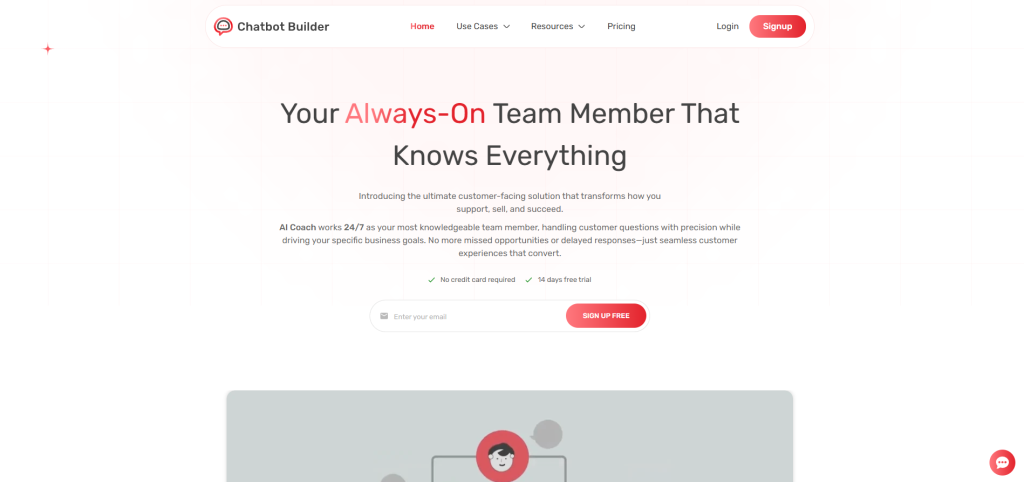
Alright, let’s get specific. Here’s how you’d actually build a working appointment booking chatbot inside Chatbotbuilder.net (CBB) from scratch.
There are a lot of chatbot platforms out there, and most of them are either too simple to do anything useful or so complicated you need a developer to set them up. CBB sits in a different spot, built for business owners who want real automation without hiring anyone.
Step 1: Start with logging in
Log in to CBB and open the flow builder. The building blocks are simple, and CBB’s visual layout makes it easy to see the entire conversation flow at a glance before you publish anything.
Step 2: Write your opener
This is the most important message in the whole flow. It’s what people see first, and it determines whether they keep going or close the chat. Write it the way you’d actually talk to someone. “Hey, thinking about working together? Let me grab a couple of quick details first.” Short. Human. No corporate-speak.
Step 3: Add your qualifying questions
In the flow builder, add two message nodes after the opener. These are your qualifying questions. Use button responses where possible; offering 2-3 clickable options is faster than asking someone to type a free-form answer, and you get cleaner data.
Set up conditional branches based on the answers. If someone selects the option that indicates they’re a good fit, the next node shows the calendar. If they select something that puts them out of range, route them to a different message, a helpful resource, a different offer, or a polite redirect.
Step 4: Connect your Google Calendar
In CBB’s integrations panel, connect your Google account. Authorize the calendar permissions. Set your availability hours, your buffer time between appointments, your minimum advance notice, and how far out people can book.
Once connected, the bot will pull live availability every time someone reaches the booking step. No manual updates needed.
Step 5: Set up confirmation and reminders
After the booking is confirmed, set up an immediate confirmation message inside the bot. Then create a reminder sequence; CBB lets you schedule follow-up messages at set intervals after an event. Set one for 24 hours before and one for 1 hour before.
Put the meeting link in both reminders. Include the time and time zone in both reminders. Keep the messages short.
Step 6: Build the rescheduling flow
Add a separate flow triggered by keywords like “reschedule,” “cancel,” or “change my appointment.” This flow should confirm which meeting, offer new slots from your live calendar, and send a new confirmation. Wire it up so the original slot gets released when a reschedule is completed.
Step 7: Connect your channels
CBB supports website widget, Facebook Messenger, Instagram DMs, and SMS. Turn on whichever channels make sense for where your leads are. The same flow works across all of them.
Step 8: Test before you go live
Go through the entire flow yourself. Book a fake appointment. Reschedule it. Check that the calendar event was created correctly. Check that the confirmation came through. Test it on your phone. Fix anything that feels off. Then publish.
The Writing Inside Your Bot Matters More Than People Think
Here’s where I see a lot of people mess this up after they’ve done everything else right.
They spend time building a solid flow, connect the calendar, get the reminders set up, and then write the bot messages in the most robotic corporate-speak imaginable.
“Hello! I am here to assist you with scheduling a consultation. Please provide your availability and a member of our team will confirm your appointment.”
Nobody talks like this. And when people read it, they feel like they’re being processed, not welcomed. The drop-off rate goes up.
Write the way you actually talk. If you’d open a conversation with “Hey, what brings you in?” then write that. If your clients expect something more formal, match that tone, but match your actual tone, not a generic business-brochure tone that belongs to no one.
Read your bot messages out loud before you publish them. If they sound weird coming out of your mouth, rewrite them.
The Businesses Getting the Most Out of This
Let me be specific instead of vague here, because the ‘every business can benefit’ answer is technically true, but not very helpful.
Consultants and coaches are the most obvious fit because their entire revenue model is built on booked calls. Every call that doesn’t happen because scheduling was annoying is money that didn’t materialize.
Law firms are a less obvious but huge opportunity. An intake call at a law firm can be worth thousands of dollars in fees. Losing one because the prospect got tired of waiting for a callback isn’t a minor inconvenience; it’s a real financial hit.
Medical and dental offices where the front desk is spending hours every day on scheduling calls. Put a chatbot on the website for routine appointment requests, and free up that staff time for the people standing in front of them.
Real estate agents who need to book showings at all hours. Buyers want to see houses on Saturday morning. If your bot can book the showing at 10 PM Friday when they’re browsing Zillow, you win.
Home service companies: plumbers, roofers, HVAC, electricians, where the estimate call is the first step in a sale that might be worth thousands. Getting that estimate booked fast, while the homeowner is still panicking about their leaking roof, matters.
The pattern is the same across all of them. Time-sensitive leads plus a slow scheduling process equals business going to whoever picks up first.
Three Mistakes That Tank Conversion Rates
Asking too many questions. Say it with me: two qualifying questions, then show the calendar. Not four. Not six. Two. The longer the questionnaire, the more people bail before they ever see your availability.
Sending traffic to a bot you haven’t tested on mobile. Most people interact with chatbots on their phones. If your bot is clunky on a small screen, you’re losing bookings every day. Test it on your phone. Have someone else test it on their phone. Fix anything that feels awkward.
Treating the bot as “set and forget” forever. It needs occasional updating. If you add a new service, update the qualifying questions. If your calendar changes, make sure the integration still works. Thirty minutes of maintenance every couple of months keeps the thing running well.
The Numbers That Make This an Obvious Decision
I’m going to keep this simple because the math isn’t complicated.
Say your site gets 200 visitors a month. Currently, 3% of them become booked calls through your contact form. That’s 6 calls a month.
Businesses that add an appointment booking chatbot typically see conversion rates go up by 30-70% depending on their industry, traffic quality, and how good the bot flow is. Take the conservative end, 30%. You’re now booking 7-8 calls a month.
If even one of those extra calls turns into a client worth $2,000 or more, the chatbot has paid for itself many times over in month one.
There’s also the time math. Most people spend 10-15 minutes per appointment on scheduling logistics, emails back and forth, calendar checks, confirmations. At 40 appointments a month, that’s 6-10 hours a month spent on email tag. The appointment booking chatbot gets that time back, permanently.
Conclusion
Somewhere right now, someone is visiting your website at midnight. They’re interested. They might even be ready to commit. And if the only thing standing between them and your calendar is a contact form with a 12-hour response time, there’s a real chance they’ll be talking to someone else by morning.
An appointment booking chatbot closes that gap. It talks to the midnight visitor, the Sunday afternoon browser, the person who decided at 6 AM that today’s the day they finally deal with this problem. It books them, confirms them, reminds them, and hands them to you ready to go.
Chatbotbuilder.net makes building one accessible even if you’ve never touched a chatbot builder before. Templates, calendar integrations, multi-channel support, and analytics to improve over time. You could have a real booking flow running by this weekend.
Build the bot. Fill the calendar. Stop losing leads you never knew you were losing.
Frequently Asked Questions
Isn’t this the same thing as a Calendly link?
Not really. A Calendly link is passive; it sits somewhere and waits for people to find it. An appointment booking chatbot is active. It starts the conversation the moment someone shows interest, qualifies them first, and guides them to the booking. You’re capturing people you’d otherwise never see.
Does this work for my type of business?
If you make money by meeting with people, whether that’s a consultation, a discovery call, a showing, an estimate, or an intake, then yes. The specific industry matters less than whether appointments drive your revenue.
How quickly can I get set up on ChatbotBuilder.net?
Most people go live within a few hours. You’re not looking at days or weeks of work.
Will people actually book through a chatbot?
Yes. Consistently. Chatbot booking flows outperform contact forms because the real-time conversation keeps people engaged instead of leaving them waiting for a human reply. Speed is a huge factor here.
What if someone needs to reschedule?
A properly built appointment booking chatbot handles rescheduling through a dedicated flow in the bot. You can easily set this up with Chatbot Builder. The person goes back to the bot, picks a new time, and the calendar updates automatically.