


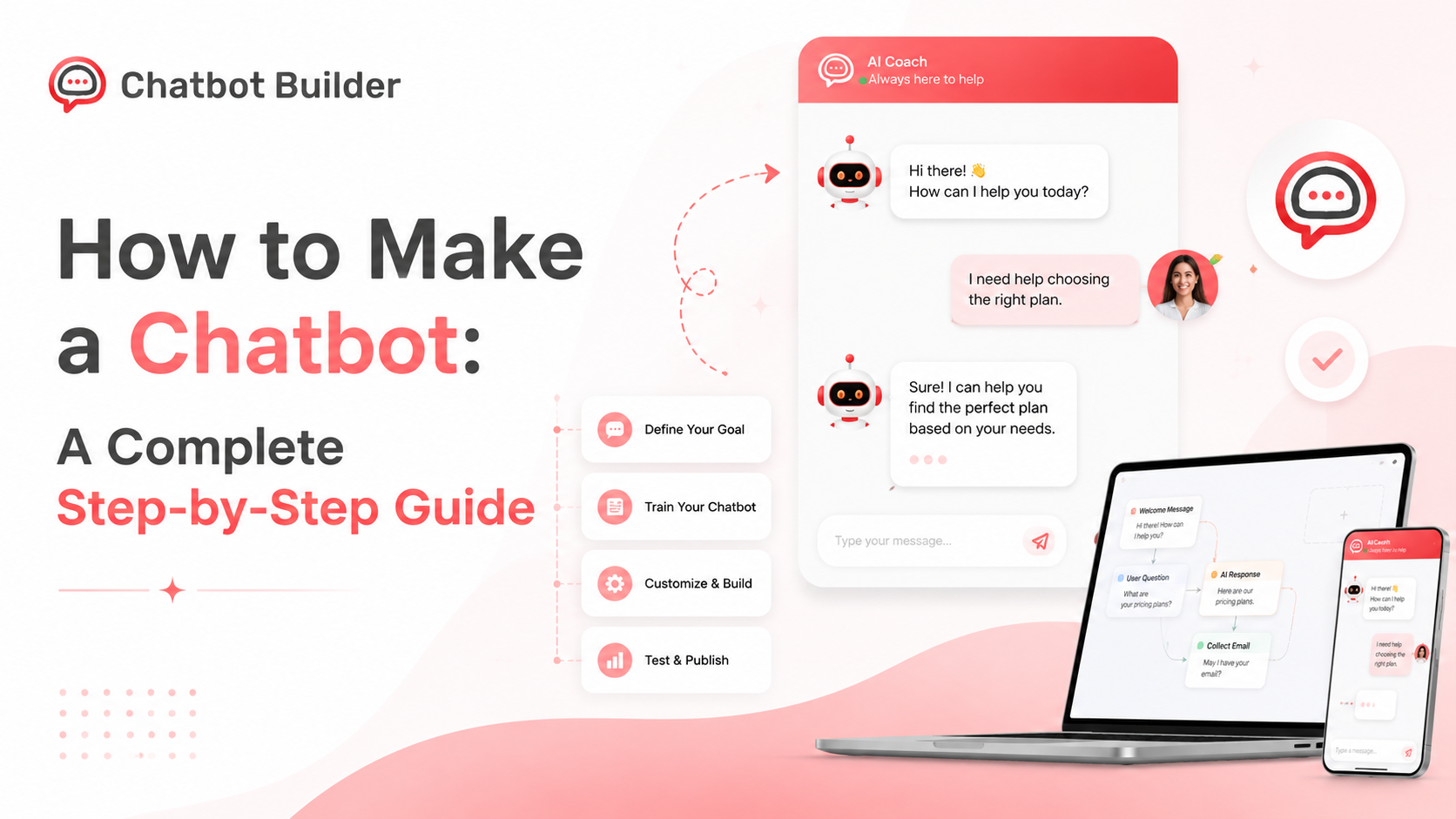
How to Make a Chatbot: A Complete Step-by-Step Guide
A few years back, building a chatbot meant hiring a developer, writing code, and hoping the thing didn’t fall over the first time someone typed a typo into it. That’s not really the case anymore. You can have a working bot live on your website by the end of the afternoon now. No code required.
But “just use a builder” isn’t the whole answer if you’ve never done this before. There’s a process. Some planning, some trial and error, testing before you let real customers anywhere near it. This guide walks through that process. What it actually takes to figure out how to make a chatbot that works, not just one that technically responds when someone types something. By the end, you’ll know how to make a chatbot from a blank page through to a live launch, and we’ll spend a chunk of time on where a tool like Chatbot Builder fits into all of it, plus a section later on building one inside CBB specifically.
Maybe you’re a small business owner tired of answering the same five questions by email. Maybe you’re a marketer trying to capture more leads. Or someone just told you to “look into chatbots” for the team, and you’re starting from zero. Any of those, this is written for you.
Why So Many Businesses Are Doing This Right Now
Chatbots used to have a bad reputation, and honestly, they earned it. Most of them were glorified phone trees dressed up as a chat window. Press 1 for sales, press 2 for support. They frustrated people more than they helped anyone.
That’s changed a lot. Modern bots handle real conversations, connect to your CRM, run across your website, SMS, Facebook Messenger, Instagram, WhatsApp, sometimes all at once. And the reasons companies keep adopting them haven’t changed much; they’ve just gotten stronger.
People expect an answer in seconds now. Not a “we’ll get back to you within 24 hours” email. A bot doesn’t get tired. It doesn’t need a lunch break and won’t mind answering the same pricing question for the four hundredth time this month. It can quietly grab a name and email while it’s helping someone, then hand a warm lead straight to sales without anyone lifting a finger. And because it’s not a person having an off day, every visitor gets the same accurate answer whether it’s question one or question fifty.
None of that needs a research team or a PhD in machine learning. It needs a plan and the right tool. That’s really what the rest of this is about.
What Kind of Chatbot Do You Actually Need?
Part of learning how to make a chatbot is realizing there isn’t just one kind. People sometimes assume “chatbot” automatically means some sophisticated AI that understands anything you type at it. Sometimes that’s overkill for what you actually need. Sometimes it’s underkill. Worth sorting out before you pick a platform.
Rule-based bots are the simplest version. User clicks a button, bot replies with something pre-written, conversation moves down a fixed path. Nothing fancy about it, but they’re reliable, fast to build, and genuinely fine for FAQs or booking an appointment.
Keyword-triggered bots add a bit more give. They scan what someone types for specific words or phrases and respond accordingly, so people aren’t stuck clicking buttons the entire time.
Then there’s the AI-powered kind: natural language processing, or, these days, increasingly a large language model, actually parsing what someone means instead of just matching words. Better for messier support conversations. Takes more work to train and more attention to keep in check.
Most businesses that get this right don’t pick just one. They build a hybrid. A menu-driven welcome to get people started, keyword recognition to catch the common stuff, and a handoff to a human when the bot’s out of its depth. You don’t need a fully autonomous AI system to answer your top twenty support questions. You need something that ships this month and gets smarter later.
Step 1: Figure Out What the Bot Is Actually For
Sounds obvious. It’s also the step almost everyone skips, and that’s exactly why so many chatbot projects go sideways. People open a builder with a vague idea, something like “we should probably have a chatbot,” no real plan behind it, and end up with something that confuses visitors more than it helps them.
Before you touch any software, sit down and answer this honestly. What’s the bot actually for? Support, lead gen, bookings, e-commerce, something internal? Where’s it living? Your website, Messenger, Instagram, SMS, all of the above? What are the twenty or so questions people ask you over and over that you’re tired of typing out by hand? Does it need a way to bail to a real person when it hits a wall? What should it sound like: formal, casual, a little playful?
Write it down somewhere. That becomes your blueprint for everything else. Skip it, and you’ll be rebuilding your flows in a month anyway, so you might as well do it properly now.
Step 2: Pick a Platform
Once you know what the bot needs to do, the next part of how to make a chatbot is choosing where to build it. You’ve got roughly three paths in front of you.
Build it from scratch with code. Frameworks like Rasa, or wiring up an LLM API yourself. Total control, sure, but this is an ongoing engineering project, not a weekend build, and you’ll still be maintaining infrastructure long after launch day.
Work directly with a generic AI API and build your own front end around it. More flexible in theory. Still a development project with all the usual overhead attached.
Or use a no-code builder, like Chatbot Builder, where you design and deploy the bot visually, and the messaging integrations, CRM connections, and payment tools are already in place waiting for you.
For most small and mid-sized businesses, that third option just wins on time. It strips out the infrastructure entirely, so your energy goes into conversation design and business logic instead of servers and API docs. It’s also why, in almost every practical guide on how to make a chatbot, the recommendation for non-developers lands on a builder platform instead of a from-scratch coding project.
Step 3: Sketch the Conversation Before You Build It
This is where the actual design work starts. Map how the conversation is supposed to flow. Think flowchart. Every conversation starts with a trigger, a keyword, a click, someone landing on a page, and branches from there depending on what they do next.
A decent map needs a welcome message that sets expectations instead of dumping every option on the visitor in one go. A mix of buttons and free text, depending on how much room you want to give people. A fallback for when the bot genuinely doesn’t understand, routing to a human or offering alternatives, never a dead end. Points where it collects a name, email, phone number. And action triggers. Sending a confirmation, tagging a contact, booking a calendar slot.
Do this on paper first. Or a whiteboard tool. Anything but the builder software itself, at least at this stage, because it’s a lot easier to catch a dead-end branch on a sketch than after you’ve already built the thing. Most platforms, CBB included, offer a visual flow builder that mirrors this planning stage closely, which is honestly one of the more underrated reasons a visual tool beats staring at code when you’re learning how to make a chatbot for the first time.
Step 4: Write Copy That Doesn’t Sound Like a Robot
Logic gets you halfway there. The actual words matter just as much when you’re working out how to make a chatbot people actually enjoy talking to, and a technically flawless bot with stiff, over-formal copy will still annoy people.
Keep messages short; a chat window makes even a medium paragraph feel like a wall of text. Write like an actual person helping someone out, not a terms-of-service document. Confirm what you heard back (“Got it, you’re after a demo of the pricing plans”) so people know the bot’s actually tracking what they said. Always leave a way out to a human. And match your brand’s voice; if your Instagram captions are playful, the bot shouldn’t suddenly sound like it’s reading from a contract.
People underestimate this constantly. It’s often the actual difference between a bot users trust and one they give up on halfway through.
Step 5: Hook Up Your Integrations
A chatbot working entirely on its own isn’t all that useful. To actually earn its keep, it usually needs to talk to the rest of your stack. A CRM to log leads automatically. A calendar for bookings. A payment processor if you’re selling through chat. An email or SMS tool to slot new contacts into a sequence. A live-chat handoff so a human can step in when things get complicated.
Think about this early, not as an afterthought bolted on later. Is lead gen the goal? You want contacts landing in the CRM the second they’re captured, tags and all. Running a store? Order lookups or a payment integration mean someone finishes buying without leaving the chat window. Booking appointments? A real two-way calendar sync stops the bot from offering a slot that’s already taken, which is exactly the kind of thing that torches trust fast. Map out what you’ll actually need against what the platform supports before you commit; finding a gap halfway through the build is a genuinely painful way to lose a week.
Step 6: Actually Test It Before You Go Live
This is where a lot of chatbot projects quietly fall apart. Before launch, walk every branch yourself. Type common misspellings and slang, and see how the fallback copes. Check it on mobile and desktop, since chat widgets don’t always render the same way. Confirm the data it’s collecting actually lands in your CRM or spreadsheet. Make sure every integration fires: bookings, payment confirmations, emails, the lot.
Then hand it to a few people who had nothing to do with building it and just watch them use it with zero instructions. This part matters more than people expect. You already know what to type, because you wrote every branch yourself. Real users don’t, and watching someone stumble through your bot for the first time will surface confusing wording and dead ends you’d never have caught testing it alone.
Step 7: Launch It, Then Keep Watching It
Once you’re confident it works, push it live across whatever channels you picked. But that’s the start, not the finish line.
Check your conversation logs regularly and see where people get stuck or just quit. Track how often people actually complete the goal, a booked call, a captured lead, whatever it is. Try a different welcome message or branching question and see what actually performs better. Update FAQ answers as pricing or policy changes, because nothing kills trust in a bot faster than a wrong answer that used to be right. And when the same new question keeps showing up in the logs, that’s your cue: build a branch for it.
A chatbot isn’t a build-it-once-and-forget-it project. Treat it more like a website or an ad campaign. Something you keep an eye on and adjust as you learn what’s actually working.
Building a Chatbot Inside Chatbot Builder
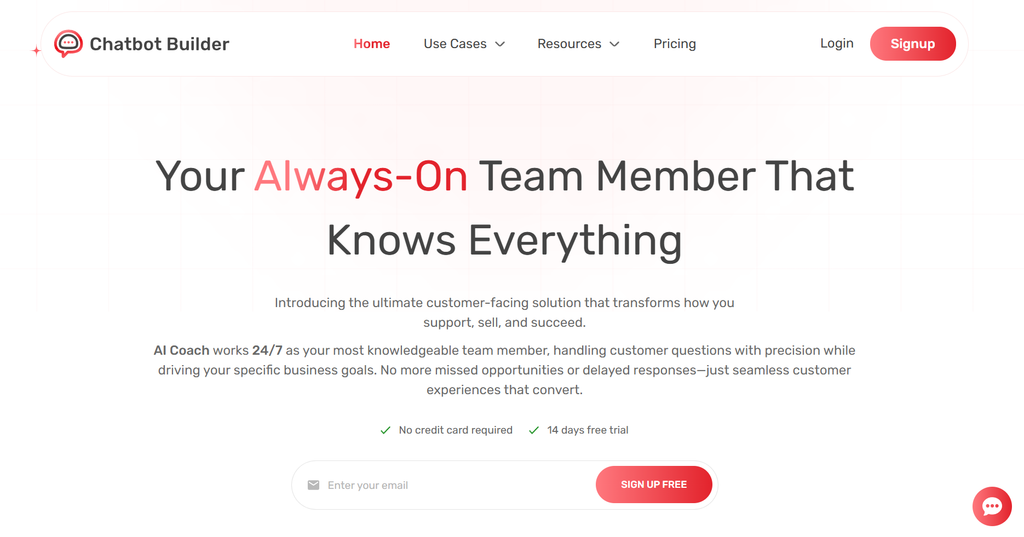
Everything above is the general playbook. Now let’s get concrete. What it actually looks like to build a bot inside Chatbot Builder, since that’s usually the fastest way to put all of this into practice without hiring anyone.
Start with your first flow: Create your CBB account and open the visual builder. You’ll start from a blank flow, so this is where the planning you did earlier actually pays off. Rather than staring at an empty canvas wondering where to begin, drop in your welcome message first, then start building out the branches for whichever use case you mapped out. Whether you’re going lead generation, appointment booking, e-commerce support, or something else entirely, the same builder handles all of it. It just means the first flow takes a bit more thought since you’re not starting from something pre-built.
Connect your channels: Link wherever you actually want the bot to live- your website widget, Messenger, Instagram DMs, SMS. CBB handles the technical side of each connection, so there’s no coding needed to get your bot showing up where your customers already spend their time.
Build the flow visually: This is where CBB’s drag-and-drop builder comes in. You add message blocks, buttons, quick replies, and conditional logic that routes people based on how they respond. Because it’s visual, you can literally watch your conversation map take shape as you go, matching whatever you sketched back in step three.
Set up data collection and tagging: Inside each flow, you configure fields to capture names, emails, phone numbers, and custom answers. CBB tags contacts based on how they respond, which matters more than it sounds like. It’s what lets you treat someone who clicked “Pricing” differently from someone who clicked “Support” further down the line.
Wire up your integrations: From the CBB dashboard, connect your CRM, email tool, calendar, and payment processor. No custom API code involved. You’re mapping fields and setting simple triggers, like “when someone finishes this flow, add them to this list.”
Automate the follow-up: Beyond the live conversation, CBB lets you set up broadcasts and drip sequences that re-engage people automatically. Genuinely useful for nudging leads who didn’t convert on the first pass.
Test it inside preview mode: Before anything goes live, run through your flow using CBB’s built-in preview tools exactly the way a user would. It’s how you catch a broken link or a missing fallback before a customer does it for you.
Publish and watch the numbers: Once you’re happy with it, push it live across your connected channels. CBB’s analytics dashboard shows conversation volume, completion rates, and where people drop off. That’s the same data you’ll use to refine things later, closing the loop with the “keep watching it” step from earlier.
Template, builder, integrations, automation, testing, analytics, all in one place, no developer required at any point.
A Few Examples From Real Businesses
Easier to picture all of this once you see how other people actually use it.
A dental clinic sets up a bot that greets website visitors, fields questions about insurance and hours, and books appointments straight into the practice calendar. No more phone tag with the front desk.
An apparel brand runs a bot on Instagram DMs that answers sizing questions, checks order status, and drops a discount code to anyone who abandons a cart, with no human involved.
A B2B software company uses a website widget to qualify inbound leads, asking about company size and budget before routing serious prospects to a rep’s calendar and quietly filtering out the tire-kickers.
A real estate agency collects buyer preferences, budget, location, bedrooms, and texts people the moment a matching listing goes live.
An event organizer handles ticket registration and the same logistics questions that used to eat their team’s inbox every week before a conference.
Different industries. Same underlying structure every time: a clear purpose, a mapped-out flow, the right integrations, and someone actually paying attention after launch.
Mistakes That Trip People Up
Even with good tools, people get this wrong in a few predictable ways over and over.
Trying to automate everything at once instead of nailing one or two use cases first.
Leaving no real fallback path, so the bot just repeats “I don’t understand” until the visitor gives up on it entirely.
Stuffing five options and three paragraphs into the very first welcome message someone sees.
Never actually looking at the conversation logs, which is genuinely where most of the useful insight lives.
And treating launch as the finish line instead of the start, which is how you end up with a bot quoting last year’s prices six months from now.
A Quick Checklist Before You Launch
Worth running through before you flip the switch.
Purpose clearly defined.
Channels decided.
The whole flow mapped out on paper first.
Copy that actually sounds like your brand and not a legal document.
A fallback and human handoff in place.
Integrations connected and actually tested, not just assumed to work.
Real users, not just you, having tried it cold.
Some way to monitor performance once it’s live.
Holds whether you’re building in CBB or somewhere else entirely. Just a solid final check before anything goes public.
Where This Leaves You
If there’s one thing worth taking away from all of this, it’s that how to make a chatbot used to be a months-long engineering question. It really doesn’t have to be anymore. With a clear plan, a properly mapped flow, and the right no-code platform, you can go from an idea to something live on your website in days. The technical barrier that used to shut small businesses out of this has basically disappeared. What actually matters now is thoughtful design and being willing to adjust once real people start using the thing.
If you’ve made it this far and you’re ready to stop researching and start building, Chatbot Builder gives you everything covered here: a visual flow builder, integrations, automation, analytics, in one place.
Try it with a 14-day free trial, no strings attached. You could have a working chatbot live on your site or social channels before the week’s out.
Frequently Asked Questions
How long does it actually take?
With a no-code platform like CBB, something simple with a handful of paths can go from nothing to live in an afternoon. Anything more involved- several integrations, real branching logic- usually takes a few days to a couple of weeks, depending on how much ground it needs to cover.
Do I need to know how to code?
No, and that’s kind of the whole point of a visual builder. CBB’s drag-and-drop editor exists so non-developers can design and launch a bot without writing anything. Coding only comes into play if you need something genuinely custom that falls outside what the platform handles natively, which, for most use cases, it does.
Which channels can a bot actually run on?
Website chat widgets, Messenger, Instagram DMs, SMS- that covers most modern platforms, with some stretching to WhatsApp too. CBB handles multiple channels from one account, so you build the bot once, and it shows up everywhere your audience already is.
What’s this going to cost me?
Depends entirely on the route. Developers building from scratch can run into the thousands, sometimes tens of thousands. A no-code platform is a monthly subscription instead, usually far cheaper, especially if you’re small or mid-sized, and you can try it on a free trial before paying anything at all.
Can a chatbot replace human support completely?
Not really, and honestly it shouldn’t try to. The setups that actually work use the bot for the repetitive, high-volume stuff and hand anything complicated or sensitive to a real person. Fast answers for the easy questions, with an actual human still in the loop where it counts most.