


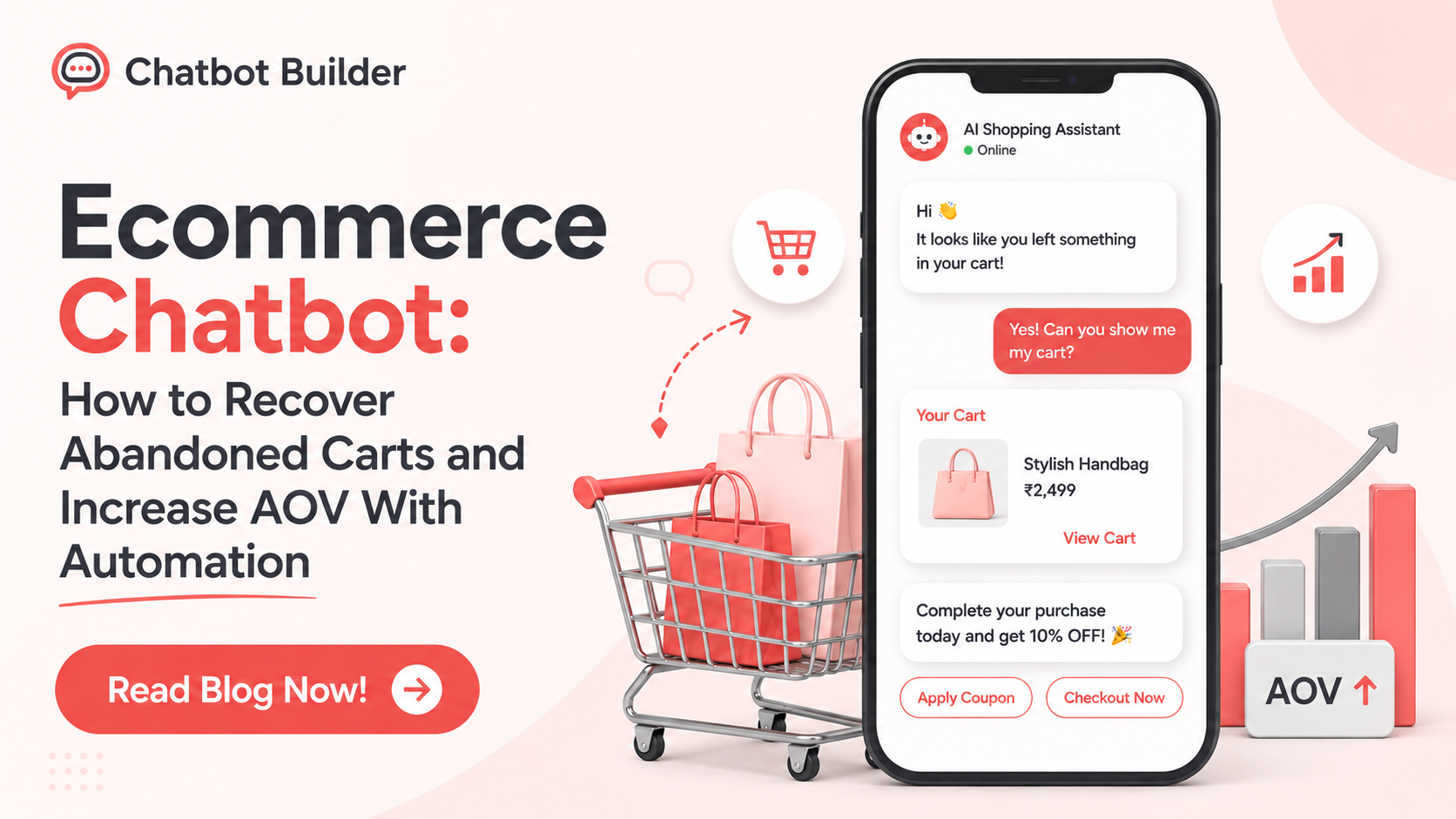
Ecommerce Chatbot: How to Recover Abandoned Carts and Increase AOV With Automation
Most online stores lose more sales before checkout than at any other point in the funnel. A shopper adds something to their cart, gets pulled away by a phone call, sees a shipping fee they weren’t expecting, and never comes back. Multiply that by every visitor who does this, and you’re looking at the single biggest source of lost revenue for most ecommerce businesses.
An ecommerce chatbot won’t save every one of those carts. But it can catch a real chunk of them, at 2 am on a Tuesday, without anyone on your team doing anything. And once that recovery layer exists, it turns out the same system is good for a lot more than just recovery; it can suggest the right add-on at checkout, answer a “where’s my order” question in three seconds instead of three hours, and turn a return request into a reorder instead of a refund.
This piece walks through how to actually build that: setting up an abandoned cart recovery flow, using product recommendations to lift AOV, handling order status and returns inside the bot itself, wiring it all up to Shopify or WooCommerce, and figuring out whether any of it is actually making you money.
Why Shoppers Actually Abandon Their Carts
Before you build any recovery logic, it helps to know what you’re recovering people from. Cart abandonment isn’t really one problem. A few of the usual suspects:
Shipping costs that only show up at the last step. This is probably the single most common reason someone bails right before paying: they did the math on the product price, and then a $12 shipping fee shows up out of nowhere.
Being forced to make an account before checking out. Some shoppers will just close the tab rather than create a password for a store they might buy from once.
Comparison shopping across a few tabs at once, with no real intent to buy from any of them yet.
A checkout flow that’s slow, confusing, or just doesn’t work well on a phone.
Not trusting the payment options, or not recognizing the site well enough to hand over card details.
And then there’s the quiet one: a question that never got answered. Does this run small? Can it ship to Canada? Is it actually in stock? A lot of abandoned carts are really just unanswered questions in disguise.
A bot obviously can’t fix a checkout page that’s fundamentally broken. But a well-built ecommerce chatbot can address almost everything else on that list, which is a big part of why an abandoned cart ecommerce chatbot tends to outperform a generic “you left something in your cart” email.
Cart Abandonment Is Fixable, It’s Not Just the Cost of Doing Business
A lot of merchants shrug off abandoned carts as unavoidable. Some sticker shock here, a “just browsing” visitor there, nothing to be done. But a decent share of the people who abandon actually meant to buy, and just need one small thing: a reminder, an answer, sometimes a reason to come back today instead of “later.”
An ecommerce chatbot fits this job well because it can:
Notice the abandonment in real time, whether that’s exit intent on the site or a cart that’s been sitting untouched for a while.
Reach the shopper wherever they already are: the on-site widget, a text message, WhatsApp, Messenger, whatever fits the store.
Deal with the actual objection stopping them, instead of one generic reminder that assumes everyone abandoned for the same reason.
Only offer a discount when it’s actually needed, rather than discounting every single recovery attempt by default.
Email sequences still work and still have a place. But they’re slow, and it’s easy to archive an email without a second thought. A chat message that shows up while someone’s still half-thinking about the purchase feels different, more immediate, which is a big reason stores that layer chat-based recovery on top of email start recovering carts that email alone was never going to touch.
Setting Up an Abandoned Cart Recovery Flow via Ecommerce Chatbot
A recovery flow isn’t one message. It’s a small decision tree, and it’s worth building it properly the first time.
Step 1: Pick the trigger
A few options, and most stores end up combining more than one:
On-site exit intent: the cursor moves toward the tab or close button with items still sitting in the cart.
Time-based inactivity: nothing’s happened in the cart for 10 to 20 minutes, or the session just ends.
A return visit: the shopper comes back to the site later, and the same items are still in their cart.
A common setup is an immediate on-site nudge, followed by an SMS or WhatsApp message an hour or a day later if checkout still hasn’t happened.
Step 2: Write the first message
Don’t open with “you forgot something.” Open with help instead. Something closer to:
“Hey! Noticed you left a few things in your cart, want a hand finishing checkout, or is there something you’re not sure about first?”
That single line does two jobs. It recovers the people who just got distracted, and it flags the people who had a real blocker, so the bot knows to route them somewhere useful instead of just repeating the same nudge.
Step 3: Branch depending on what they say
If they say they’re just checking out, send a direct link straight to a pre-filled cart. No extra steps.
If they mention a question, route into a small FAQ flow covering shipping cost, returns, stock, sizing, whatever comes up most for that store.
If there’s no reply after a few hours, send a second message, and this time it’s fair to attach a small, time-limited incentive if the margin allows it.
And if there’s still nothing, hand off to whatever drip sequence the store already runs, or just stop, depending on the store’s own rules here.
Step 4: Don’t drop the thread after they buy
Once the cart converts, send a short confirmation, and consider offering one complementary product right there. This is basically the on-ramp into the AOV section below.
Step 5: Actually watch how it performs
A cart-recovery flow is never really done. Once it’s live, keep an eye on a few things over the first couple of weeks. How many people even reply to that first message? If the number’s low, the opener probably reads too much like a bot and needs a rewrite. Where people are dropping out of the branches, if most abandon right at the FAQ step, the answers there are probably too long or missing the actual concern. And whether recovered orders only happen because of the discount, try pulling the discount for a slice of shoppers and see how much recovery still happens without it.
Small wording tweaks to that opening message can move the needle more than anything you do to the incentive logic.
Example: cart recovery for a skincare store
Trigger: cart sits untouched for 15 minutes.
Bot: “Still deciding on the Vitamin C serum? Happy to answer anything, or here’s your cart, ready whenever →”
Shopper: “Does it work for sensitive skin?”
The bot pulls the relevant product FAQ, answers directly, and offers a gentle moisturizer bundle at 10% off.
Shopper checks out with the bundle instead of just the one item.
That’s an ecommerce chatbot doing two jobs at once, recovery and upsell in a single conversation.
Example: cart recovery for a furniture store
Bigger purchases move more slowly, so the flow needs to account for that.
Trigger: a $900 sofa left sitting in the cart.
Bot (sent a few hours later, not immediately): “Still thinking over the sofa? A lot of people ask about delivery timing and the return window before deciding, happy to run through both.”
Shopper: “How long is delivery?”
The bot gives an accurate, order-specific delivery estimate and mentions the return policy without being asked.
Two days later, after one lighter follow-up, the shopper checks out.
For anything with a longer decision cycle, patience and good information do more work than urgency or a discount ever will.
Using a Product Recommendation Bot to Lift AOV
Recovering the sale is only half the job. The same conversational layer is one of the best places to increase average order value, because the recommendation lands exactly when someone’s already in buying mode.
Where to actually place the recommendation
Right after something’s added to the cart, “most people add this too” reads better as a chat message than a static carousel, since it can actually respond if someone asks why.
Inside the cart-recovery conversation itself, by bundling a related item into the recovery message.
Right after checkout, while the shopper’s still on the confirmation screen or in the app.
During an order-status check-in, someone checking on a shipped order is a warm audience for a low-pressure repeat-purchase nudge.
Making it feel relevant instead of spammy
A flat “check out these other products” message gets ignored fast. What tends to actually work:
Basing it on purchase history, “since you got X, here’s what usually goes with it.”
Basing it on what’s already in the cart right now, not a static bestseller list that never changes.
Anchoring the price low, a small add-on, not something that resets the whole decision.
Giving an actual reason, “customers who bought this also added…” or “you’ll need this to use it” both beat a bare product photo with zero context.
Wording that changes conversion more than you’d expect
The exact phrasing matters more here than most people assume. A few patterns worth trying: “you’ll need this to use it” for anything functionally required, not optional. “Customers who bought this also added…” borrows trust instead of asking the shopper to just take the bot’s word for it. “Add these two and save X%” gives a concrete reason to say yes right now instead of “maybe later.” And scarcity “only a couple left in this size” works, but only if it’s true and only if it’s not slapped on every single product page.
Example: post-cart-add upsell for a coffee equipment store
Shopper adds an espresso machine to the cart.
Bot: “Nice pick. Since you don’t have one yet, want to add a tamper and cleaning kit? Bundling saves 15% versus buying separately.”
Shopper adds the bundle.
Cart value goes up without touching the price of the machine itself, margin stays intact, and AOV goes up.
This is one of the simpler ways an ecommerce chatbot pays for itself. It doesn’t need new traffic, just a bit more value squeezed out of traffic that has already converted.
Example: post-purchase cross-sell for an outdoor gear store
Shopper checks out with a tent.
Bot sends a short confirmation, then: “Since you’re heading out camping, want to add a footprint groundsheet? Protects the tent floor, and it’ll ship in the same box if you add it in the next 10 minutes.”
Shopper adds the groundsheet as a same-day add-on.
The “ships in the same box” framing is what makes this one work. It gives a real, logistics-based reason to decide now rather than “I’ll add it later,” which usually just means never.
Handling Order Status and Returns Inside a Bot
“Where’s my order?” and “How do I return this?” are two of the highest-volume tickets almost any store gets, and they’re also two of the simplest to hand off entirely to a bot, freeing up your actual support team for the conversations that need a person.
Order status
The shopper messages the bot with an order number or logs in through a linked account. The bot pulls live status straight from the store platform: shipped, in transit, delivered, delayed. If it’s delayed, the bot should proactively offer next steps (reship, refund, a discount code) based on the store’s own rules, rather than just stating the obvious. If it says delivered but the shopper says it never showed up, the bot escalates to a human with all the order details already attached, so nobody has to repeat themselves.
Returns and exchanges
The shopper says they want to return something. The bot checks eligibility and the return window automatically against store policy. If it’s eligible, the bot generates a return label or code on the spot and asks why, useful data for the merchant, and something a human agent often forgets to ask. Before defaulting to a refund, the bot offers an exchange or store credit; this alone can turn a meaningful chunk of returns back into revenue instead of a straight refund. Anything ineligible or unusual routes straight to a human, with the full context already attached.
Example: turning a return into an exchange
Shopper: “I want to return these shoes, wrong size.”
Bot confirms eligibility, then: “Want us to send the correct size instead? We can ship it out today, and you send the old pair back with the same label.”
Shopper agrees to the exchange.
The store keeps the revenue instead of processing a refund.
This is one of the most underused things an ecommerce chatbot can do. Most stores only lean on bots for the sales side of the journey and route every post-purchase question straight to a human, which means they’re missing an easy save that costs nothing to set up.
Get ahead of the ticket before it’s even a ticket
The highest-leverage version of this isn’t reactive at all; it’s the bot reaching out before the shopper thinks to ask. A few triggers worth setting up: a carrier delay shows up in tracking data, so the bot messages before the shopper notices anything’s wrong. A package gets marked delivered, so a quick check-in a day later (“did everything arrive okay?”) catches a problem before it turns into a chargeback. An order splits into two shipments, so the bot tells the shopper up front instead of letting them find out from two separate tracking emails. A return window is closing in a few days, so a gentle reminder heads off the frustrated “nobody told me” complaint later.
Every one of these turns a potential support cost into a small trust-building moment, and none of them needs a human to run.
Connecting a Chatbot to Shopify or WooCommerce
None of the above works without live access to store data, cart contents, the product catalog, order status, and customer history. Here’s what actually setting that up involves.
Shopify
Connect through Shopify’s Storefront/Admin API if you’re building something custom. Authorize access to orders, products, and customer data. Map the cart-abandonment webhooks (checkout/create, checkout/update) so the bot knows the moment a cart is started or goes quiet. Sync the product catalog so recommendations reflect real stock and pricing. Connect whichever messaging channel you’re using- on-site widget, WhatsApp Business API, SMS, to that same integration, so every conversation is working off the same order data.
WooCommerce
Install the WooCommerce plugin, or connect through the REST API directly. Generate API keys with read/write access to orders, products, and customers. Set up webhooks for cart and order events. WooCommerce doesn’t natively track “abandoned checkout” the way Shopify does, so most integrations pair with a separate cart-tracking plugin to catch this. Sync product data so recommendations stay accurate. Then actually test the full loop: add to cart, abandon it, confirm the bot triggers correctly, complete checkout, confirm order status pulls through correctly on the other side.
Measuring Ecommerce Chatbot ROI
None of this is worth much if you can’t tie it back to actual revenue. Here’s the minimum worth tracking:
Ecommerce Chatbot: How to Recover Abandoned Carts and Increase AOV With Automation
Most online stores lose more sales before checkout than at any other point in the funnel. A shopper adds something to their cart, gets pulled away by a phone call, sees a shipping fee they weren’t expecting, and never comes back. Multiply that by every visitor who does this, and you’re looking at the single biggest source of lost revenue for most ecommerce businesses.
An ecommerce chatbot won’t save every one of those carts. But it can catch a real chunk of them, at 2 am on a Tuesday, without anyone on your team doing anything. And once that recovery layer exists, it turns out the same system is good for a lot more than just recovery; it can suggest the right add-on at checkout, answer a “where’s my order” question in three seconds instead of three hours, and turn a return request into a reorder instead of a refund.
This piece walks through how to actually build that: setting up an abandoned cart recovery flow, using product recommendations to lift AOV, handling order status and returns inside the bot itself, wiring it all up to Shopify or WooCommerce, and figuring out whether any of it is actually making you money.
Why Shoppers Actually Abandon Their Carts
Before you build any recovery logic, it helps to know what you’re recovering people from. Cart abandonment isn’t really one problem. A few of the usual suspects:
Shipping costs that only show up at the last step. This is probably the single most common reason someone bails right before paying: they did the math on the product price, and then a $12 shipping fee shows up out of nowhere.
Being forced to make an account before checking out. Some shoppers will just close the tab rather than create a password for a store they might buy from once.
Comparison shopping across a few tabs at once, with no real intent to buy from any of them yet.
A checkout flow that’s slow, confusing, or just doesn’t work well on a phone.
Not trusting the payment options, or not recognizing the site well enough to hand over card details.
And then there’s the quiet one: a question that never got answered. Does this run small? Can it ship to Canada? Is it actually in stock? A lot of abandoned carts are really just unanswered questions in disguise.
A bot obviously can’t fix a checkout page that’s fundamentally broken. But a well-built ecommerce chatbot can address almost everything else on that list, which is a big part of why an abandoned cart ecommerce chatbot tends to outperform a generic “you left something in your cart” email.
Cart Abandonment Is Fixable, It’s Not Just the Cost of Doing Business
A lot of merchants shrug off abandoned carts as unavoidable. Some sticker shock here, a “just browsing” visitor there, nothing to be done. But a decent share of the people who abandon actually meant to buy, and just need one small thing: a reminder, an answer, sometimes a reason to come back today instead of “later.”
An ecommerce chatbot fits this job well because it can:
Notice the abandonment in real time, whether that’s exit intent on the site or a cart that’s been sitting untouched for a while.
Reach the shopper wherever they already are: the on-site widget, a text message, WhatsApp, Messenger, whatever fits the store.
Deal with the actual objection stopping them, instead of one generic reminder that assumes everyone abandoned for the same reason.
Only offer a discount when it’s actually needed, rather than discounting every single recovery attempt by default.
Email sequences still work and still have a place. But they’re slow, and it’s easy to archive an email without a second thought. A chat message that shows up while someone’s still half-thinking about the purchase feels different, more immediate, which is a big reason stores that layer chat-based recovery on top of email start recovering carts that email alone was never going to touch.
Setting Up an Abandoned Cart Recovery Flow via Ecommerce Chatbot
A recovery flow isn’t one message. It’s a small decision tree, and it’s worth building it properly the first time.
Step 1: Pick the trigger
A few options, and most stores end up combining more than one:
On-site exit intent: the cursor moves toward the tab or close button with items still sitting in the cart.
Time-based inactivity: nothing’s happened in the cart for 10 to 20 minutes, or the session just ends.
A return visit: the shopper comes back to the site later, and the same items are still in their cart.
A common setup is an immediate on-site nudge, followed by an SMS or WhatsApp message an hour or a day later if checkout still hasn’t happened.
Step 2: Write the first message
Don’t open with “you forgot something.” Open with help instead. Something closer to:
“Hey! Noticed you left a few things in your cart, want a hand finishing checkout, or is there something you’re not sure about first?”
That single line does two jobs. It recovers the people who just got distracted, and it flags the people who had a real blocker, so the bot knows to route them somewhere useful instead of just repeating the same nudge.
Step 3: Branch depending on what they say
If they say they’re just checking out, send a direct link straight to a pre-filled cart. No extra steps.
If they mention a question, route into a small FAQ flow covering shipping cost, returns, stock, sizing, whatever comes up most for that store.
If there’s no reply after a few hours, send a second message, and this time it’s fair to attach a small, time-limited incentive if the margin allows it.
And if there’s still nothing, hand off to whatever drip sequence the store already runs, or just stop, depending on the store’s own rules here.
Step 4: Don’t drop the thread after they buy
Once the cart converts, send a short confirmation, and consider offering one complementary product right there. This is basically the on-ramp into the AOV section below.
Step 5: Actually watch how it performs
A cart-recovery flow is never really done. Once it’s live, keep an eye on a few things over the first couple of weeks. How many people even reply to that first message? If the number’s low, the opener probably reads too much like a bot and needs a rewrite. Where people are dropping out of the branches, if most abandon right at the FAQ step, the answers there are probably too long or missing the actual concern. And whether recovered orders only happen because of the discount, try pulling the discount for a slice of shoppers and see how much recovery still happens without it.
Small wording tweaks to that opening message can move the needle more than anything you do to the incentive logic.
Example: cart recovery for a skincare store
Trigger: cart sits untouched for 15 minutes.
Bot: “Still deciding on the Vitamin C serum? Happy to answer anything, or here’s your cart, ready whenever →”
Shopper: “Does it work for sensitive skin?”
The bot pulls the relevant product FAQ, answers directly, and offers a gentle moisturizer bundle at 10% off.
Shopper checks out with the bundle instead of just the one item.
That’s an ecommerce chatbot doing two jobs at once, recovery and upsell in a single conversation.
Example: cart recovery for a furniture store
Bigger purchases move more slowly, so the flow needs to account for that.
Trigger: a $900 sofa left sitting in the cart.
Bot (sent a few hours later, not immediately): “Still thinking over the sofa? A lot of people ask about delivery timing and the return window before deciding, happy to run through both.”
Shopper: “How long is delivery?”
The bot gives an accurate, order-specific delivery estimate and mentions the return policy without being asked.
Two days later, after one lighter follow-up, the shopper checks out.
For anything with a longer decision cycle, patience and good information do more work than urgency or a discount ever will.
Using a Product Recommendation Bot to Lift AOV
Recovering the sale is only half the job. The same conversational layer is one of the best places to increase average order value, because the recommendation lands exactly when someone’s already in buying mode.
Where to actually place the recommendation
Right after something’s added to the cart, “most people add this too” reads better as a chat message than a static carousel, since it can actually respond if someone asks why.
Inside the cart-recovery conversation itself, by bundling a related item into the recovery message.
Right after checkout, while the shopper’s still on the confirmation screen or in the app.
During an order-status check-in, someone checking on a shipped order is a warm audience for a low-pressure repeat-purchase nudge.
Making it feel relevant instead of spammy
A flat “check out these other products” message gets ignored fast. What tends to actually work:
Basing it on purchase history, “since you got X, here’s what usually goes with it.”
Basing it on what’s already in the cart right now, not a static bestseller list that never changes.
Anchoring the price low, a small add-on, not something that resets the whole decision.
Giving an actual reason, “customers who bought this also added…” or “you’ll need this to use it” both beat a bare product photo with zero context.
Wording that changes conversion more than you’d expect
The exact phrasing matters more here than most people assume. A few patterns worth trying: “you’ll need this to use it” for anything functionally required, not optional. “Customers who bought this also added…” borrows trust instead of asking the shopper to just take the bot’s word for it. “Add these two and save X%” gives a concrete reason to say yes right now instead of “maybe later.” And scarcity “only a couple left in this size” works, but only if it’s true and only if it’s not slapped on every single product page.
Example: post-cart-add upsell for a coffee equipment store
Shopper adds an espresso machine to the cart.
Bot: “Nice pick. Since you don’t have one yet, want to add a tamper and cleaning kit? Bundling saves 15% versus buying separately.”
Shopper adds the bundle.
Cart value goes up without touching the price of the machine itself, margin stays intact, and AOV goes up.
This is one of the simpler ways an ecommerce chatbot pays for itself. It doesn’t need new traffic, just a bit more value squeezed out of traffic that has already converted.
Example: post-purchase cross-sell for an outdoor gear store
Shopper checks out with a tent.
Bot sends a short confirmation, then: “Since you’re heading out camping, want to add a footprint groundsheet? Protects the tent floor, and it’ll ship in the same box if you add it in the next 10 minutes.”
Shopper adds the groundsheet as a same-day add-on.
The “ships in the same box” framing is what makes this one work. It gives a real, logistics-based reason to decide now rather than “I’ll add it later,” which usually just means never.
Handling Order Status and Returns Inside a Bot
“Where’s my order?” and “How do I return this?” are two of the highest-volume tickets almost any store gets, and they’re also two of the simplest to hand off entirely to a bot, freeing up your actual support team for the conversations that need a person.
Order status
The shopper messages the bot with an order number or logs in through a linked account. The bot pulls live status straight from the store platform: shipped, in transit, delivered, delayed. If it’s delayed, the bot should proactively offer next steps (reship, refund, a discount code) based on the store’s own rules, rather than just stating the obvious. If it says delivered but the shopper says it never showed up, the bot escalates to a human with all the order details already attached, so nobody has to repeat themselves.
Returns and exchanges
The shopper says they want to return something. The bot checks eligibility and the return window automatically against store policy. If it’s eligible, the bot generates a return label or code on the spot and asks why, useful data for the merchant, and something a human agent often forgets to ask. Before defaulting to a refund, the bot offers an exchange or store credit; this alone can turn a meaningful chunk of returns back into revenue instead of a straight refund. Anything ineligible or unusual routes straight to a human, with the full context already attached.
Example: turning a return into an exchange
Shopper: “I want to return these shoes, wrong size.”
Bot confirms eligibility, then: “Want us to send the correct size instead? We can ship it out today, and you send the old pair back with the same label.”
Shopper agrees to the exchange.
The store keeps the revenue instead of processing a refund.
This is one of the most underused things an ecommerce chatbot can do. Most stores only lean on bots for the sales side of the journey and route every post-purchase question straight to a human, which means they’re missing an easy save that costs nothing to set up.
Get ahead of the ticket before it’s even a ticket
The highest-leverage version of this isn’t reactive at all; it’s the bot reaching out before the shopper thinks to ask. A few triggers worth setting up: a carrier delay shows up in tracking data, so the bot messages before the shopper notices anything’s wrong. A package gets marked delivered, so a quick check-in a day later (“did everything arrive okay?”) catches a problem before it turns into a chargeback. An order splits into two shipments, so the bot tells the shopper up front instead of letting them find out from two separate tracking emails. A return window is closing in a few days, so a gentle reminder heads off the frustrated “nobody told me” complaint later.
Every one of these turns a potential support cost into a small trust-building moment, and none of them needs a human to run.
Connecting a Chatbot to Shopify or WooCommerce
None of the above works without live access to store data, cart contents, the product catalog, order status, and customer history. Here’s what actually setting that up involves.
Shopify
Connect through Shopify’s Storefront/Admin API if you’re building something custom. Authorize access to orders, products, and customer data. Map the cart-abandonment webhooks (checkout/create, checkout/update) so the bot knows the moment a cart is started or goes quiet. Sync the product catalog so recommendations reflect real stock and pricing. Connect whichever messaging channel you’re using- on-site widget, WhatsApp Business API, SMS, to that same integration, so every conversation is working off the same order data.
WooCommerce
Install the WooCommerce plugin, or connect through the REST API directly. Generate API keys with read/write access to orders, products, and customers. Set up webhooks for cart and order events. WooCommerce doesn’t natively track “abandoned checkout” the way Shopify does, so most integrations pair with a separate cart-tracking plugin to catch this. Sync product data so recommendations stay accurate. Then actually test the full loop: add to cart, abandon it, confirm the bot triggers correctly, complete checkout, confirm order status pulls through correctly on the other side.
Measuring Ecommerce Chatbot ROI
None of this is worth much if you can’t tie it back to actual revenue. Here’s the minimum worth tracking:
| Metric | What it tells you |
| Cart recovery rate | % of abandoned carts the bot brings back to checkout |
| Recovered revenue | Actual dollar value of orders that came out of a recovery conversation |
| AOV lift | Average order value on bot-assisted checkouts vs. everything else |
| Deflection rate | % of order-status/return chats resolved with no human involved |
| Return-to-exchange rate | % of return requests that turn into exchanges instead of refunds |
| Cost per conversation | Platform cost divided by conversation volume, held up against what a human agent would cost for the same volume |
A rough formula for ROI:
ROI = (Recovered revenue + AOV lift revenue + Support cost savings − Chatbot platform cost) ÷ Chatbot platform cost
Run it monthly. In month one, the recovery and support-deflection numbers will matter most. AOV lift usually needs a bigger sample before the trend means anything. Most stores get their clearest signal from cart recovery within the first two to four weeks, since it’s the easiest thing to trace: an order that followed a recovery message is a pretty clean line to draw.
Getting the attribution right
The common mistake is crediting every order near a bot conversation to the bot, whether it earned it or not. A few ways to keep the numbers honest: use a unique discount code or tracked link for anything closing through a recovery or upsell conversation, so it’s traceable instead of assumed. Where you can, compare against a small holdout group that gets no bot outreach at all, just so you have a baseline. Separate what the bot directly closed from what it might have merely influenced; an order that completed in the same session as a recovery link is a different thing than one that happened three days later and might have converted anyway. And revisit cost per conversation every quarter, not just once at setup, since volume and pricing tiers both shift as the store grows.
Clean attribution is the difference between “the chatbot seems to be helping” and a number you can actually defend in a budget meeting.
Real Ecommerce Chatbot Flow Examples
Pulling the pieces together, here are four flows a store might run at the same time.
Cart recovery with objection handling.
Trigger, then an open question, then a branch to either an FAQ or a checkout link, then a time-limited incentive if it’s still unresolved, then a confirmation once it converts.
Post-purchase upsell.
Order confirmed, bot suggests something complementary based on what was just bought, one tap adds it to a follow-up order or applies store credit toward the next purchase.
Proactive delay notice.
Bot picks up a shipping delay from carrier data and messages the shopper before they ask, offers a refund, reship, or a discount code, and only brings in a human if none of those satisfy the shopper.
Win-back for lapsed repeat customers.
Bot flags anyone who hasn’t ordered in 90-plus days but has bought more than twice before, sends something personal referencing their last order, and offers early access to something new rather than a blanket discount code.
None of these is one giant do-everything bot; they’re small, narrow flows that each handle one job well, all pulling from the same store data underneath. Whether the goal is recovery, AOV, or keeping support tickets down, an abandoned cart ecommerce chatbot and a recommendation bot are really the same system, just pointed at different moments in the customer’s path.
Build This in Chatbotbuilder.net
Everything above- cart recovery, product recommendations, order status lookups, return-to-exchange handling- can be built inside Chatbot Builder without writing a line of integration code.
In practice, that looks like:
Pre-built Shopify and WooCommerce connectors, so cart, product, and order data sync automatically instead of you setting up webhooks by hand.
A drag-and-drop flow builder for exactly the kind of branching logic described above (objection → FAQ → checkout link → incentive), no code required.
Built-in reporting on recovery rate, AOV lift, and deflection rate, so those ROI numbers live in one dashboard instead of getting stitched together by hand every month.
Multi-channel deployment, meaning the same flow runs on your website widget, WhatsApp, and SMS from a single build.
Most stores can have a working abandoned-cart flow live within an afternoon using the template library, then layer on recommendations and returns handling once the first one’s proven itself out.
Conclusion
An ecommerce chatbot earns its place in three spots: bringing back carts that would otherwise vanish, nudging AOV upward with recommendations that land at the right moment, and taking the routine order-status and return questions off your team’s plate. None of it requires a big engineering lift, just a store integration, a handful of well-scoped flows, and some way to actually check what’s working.
If you’d rather put these flows into production than build the integration from scratch, you can start a 14-day free trial with Chatbot Builder and have your first recovery flow connected to Shopify or WooCommerce the same day.
Start your 14-day free trial today!
Frequently Asked Questions
How much revenue can an ecommerce chatbot actually recover?
It depends a lot on your traffic and price point, but recovery rates on conversations people actually engage with tend to run well above passive email-only recovery, mostly because the message shows up while the shopper’s still in the middle of deciding.
Won’t a recovery bot annoy people who didn’t mean to abandon their cart on purpose?
Not if the first message leads with help instead of a hard sell. Framing the opener as a question, “need a hand finishing checkout, or is something unclear?” tends to avoid the pushy tone that gets people to opt out.
Can a bot actually process a return, or does it just point at the policy page?
A properly connected bot can check eligibility, generate a return label or code, and log the request directly in the store’s order system. It’s not limited to answering FAQ-style questions about the policy.
What kind of AOV increase is realistic from a recommendation bot?
It varies a lot by catalog and price point, but stores generally see a measurable bump when the recommendations are tied to what’s actually in the cart and what the customer’s bought before, rather than a generic bestsellers list.
How long does it actually take to set up an abandoned cart recovery flow?
On a template-based platform, a basic version, trigger, opening message, branching, and incentive can usually be built and connected to Shopify or WooCommerce within a day. More advanced flows with several branches and channels take longer to get right.