


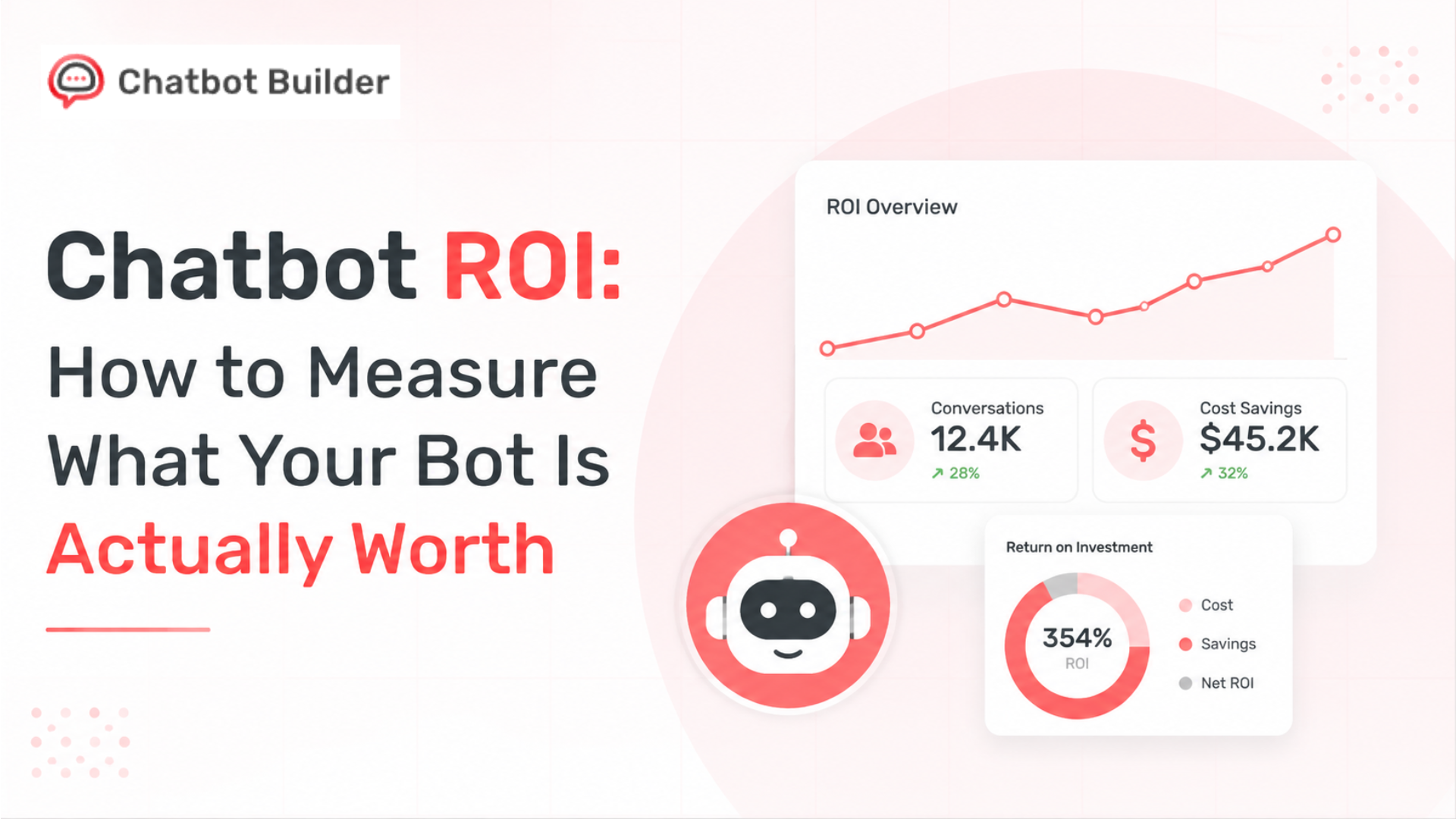
Chatbot ROI: How to Measure What Your Bot Is Actually Worth
Ask a marketing team how their chatbot performed last month, and you’ll usually get several conversations. Ask what those conversations were worth, and the room goes quiet. That’s the whole problem with chatbot ROI in one sentence: everyone tracks activity, almost nobody tracks value.
It’s not because the data doesn’t exist. It’s because nobody sat down and decided, ahead of time, what “value” actually means for their specific bot. Is it a captured email? A qualified lead? A booked call? A support ticket that never had to reach a human? Without that decision made up front, every ROI conversation turns into people arguing past each other with different definitions.
This blog walks through a fix for that. Learn the five key metrics that accurately measure your chatbot’s ROI. Discover a practical formula that works for lead generation, customer support, and booking bots alike. Explore two real-world examples with actual numbers to see ROI calculations in action. Plus, compare your results against a benchmark table to understand how your chatbot stacks up.
Why Chatbot ROI Is Harder to Pin Down Than It Should Be
A chatbot rarely does just one job. A single chatbot can qualify a lead, answer a question, and book a demo, all within a short span of time. Because its impact is spread across multiple teams, measuring ROI becomes more challenging. Many businesses rely on easy-to-track metrics like conversations, session duration, or click-through rates. However, these numbers reveal activity, not the actual business value your chatbot delivers.
The fix isn’t a fancier dashboard. The key is to track a few metrics that directly reflect business value and revenue. Measure them consistently using the same method every month for accurate comparisons. Avoid relying on vanity metrics simply because they’re easy to access. Focus on numbers that clearly demonstrate your chatbot’s real impact on the business. Do that consistently and the bot’s return stops being a vague impression. It becomes a figure you can put next to your ad spend or your headcount costs and actually defend.
There’s also a distinction worth making early. “Is the bot doing its job” and “Is the bot worth what we pay for it” are two different questions. The first is operational; you answer it with conversation-level metrics. The second is financial, and it’s really what this article is about. You can have a bot with great engagement numbers and mediocre financial return, or the opposite, modest volume, outstanding return, because it happens to be talking to exactly the right people at exactly the right moment in their buying process.
The Five Metrics Worth Tracking
Before any ROI number means anything, the inputs feeding it need to be clean.
Lead capture rate
The share of conversations that end with a captured contact detail, email, phone, sometimes both. Say 1,000 people talk to the bot and 220 leave their info. That’s a 22% capture rate, and it tells you whether the opening questions and value prop are landing, before anything downstream in sales even enters the picture.
Capture rate is also the cheapest thing to test. Simple changes can significantly improve your chatbot’s performance. Try asking for the email earlier or later, offering a different incentive, or using friendlier wording. Even small adjustments can boost conversion rates within days. If results start slowing down, this is one of the easiest and most effective areas to optimize.
Qualification rate
Not every captured lead is worth a sales rep’s time. Qualification rate is the share of captured leads that actually meet your bar, budget, company size, intent, timeline, whatever your team has agreed counts as “real.” A bot pulling in tons of leads that almost none of them qualify isn’t generating pipeline. It’s generating noise that someone still has to sort through.
This is the metric teams skip most often when they first try to get serious about chatbot performance measurement, and it’s usually the reason sales complains about lead quality even when marketing is celebrating a record month. If you hear “these leads aren’t great” more than once, check qualification rate before you touch anything else.
Booking rate
For bots scheduling demos or consultations, this is the percentage of qualified conversations that turn into an actual confirmed booking. It sits closer to revenue than almost anything else on this list, since a booked call is verifiable; it’s either on the calendar, or it isn’t, unlike “interest,” which can mean almost anything.
Deflection rate
On the support side, deflection rate measures how many inbound questions the bot resolves on its own, no human required. Field 2,000 tickets a month and the bot closes out 600 of them without escalation, and you’re at 30%. This number feeds directly into support-side ROI because agent hours are one of the easiest things in the business to convert into a dollar figure.
One caution here: define “resolved” carefully. A conversation the bot merely responded to isn’t the same as one it actually solved. If the customer comes back an hour later and opens a real ticket anyway, that shouldn’t count toward deflection. Most builders let you mark something resolved only after the customer confirms it, or after they haven’t returned within a set window, and that distinction matters once you start attaching dollars to it.
Cost per lead, bot vs. form
This one compares what a lead costs through the chatbot against what the same page’s static form produces. Chatbots often outperform traditional forms because they collect information one question at a time, keeping users engaged throughout the process. In contrast, lengthy forms ask for everything upfront, causing more people to abandon them. The best way to measure this advantage is through a direct side-by-side comparison of conversion rates. This simple, apples-to-apples metric is easy for stakeholders and finance teams to understand and trust.
Track all five, on the same pages, the same way, every month, and you’ve got a foundation solid enough to calculate real chatbot ROI instead of guessing at it.
Calculating Chatbot ROI Across Three Different Use Cases
Return on investment looks different depending on the job the bot is doing. Here’s how the three most common use cases break down, plus something that applies to all of them: how long it takes value to show up after a conversation ends.
Lead-gen value tends to lag, sometimes by months, since deals close on their own schedule. Support value shows up almost instantly; a deflected ticket is a savings the same day. Booking value lands somewhere in between, usually within a few days of the meeting being confirmed and held. Miss this timing, and you’ll end up judging a brand-new lead-gen flow as a failure in month one, when the real verdict only arrives once enough of that month’s leads have had time to actually close.
Lead generation: Return is driven by lead volume and quality, weighted against average deal value and close rate. The question to ask: what would it cost to generate the same number of qualified leads through your next-best channel: paid search, outbound, a webinar series, and how does that stack up against what the bot costs to run? The trap most teams fall into is over-crediting the bot. If someone chats with it, gets qualified, and closes three months later after five more sales touches, the bot didn’t single-handedly close that deal, but it wasn’t irrelevant either. First-touch or assisted-conversion attribution keeps the number honest.
Support: Here, the math is cost avoidance rather than revenue. Every deflected ticket is one a human agent never had to touch. Which means fewer billed hours, less pressure to hire as volume climbs, and shorter wait times for the customers who genuinely need a person. Multiply deflection rate by your average cost per interaction, agent time plus tooling and overhead, and you’ve got monthly savings to compare against the bot’s cost. Support tends to produce the steadiest numbers of the three, since ticket volume rarely swings as hard as lead volume does.
Booking: Closest thing to a straight revenue calculation. Confirmed bookings times close rate times average deal value gives you the revenue the bot likely influenced. Because a booking is unambiguous, held or not held, this is usually the easiest of the three to defend.
The logic holds across all three: decide what value means for your situation, track the inputs the same way every month, compare against cost.
A Formula You Can Actually Use
ROI (%) = [(Value Generated − Cost of Bot) / Cost of Bot] × 100
Value Generated shifts depending on the use case, booking revenue, deflected-ticket savings, or estimated pipeline value from qualified leads. Cost of Bot means your platform fee plus setup and maintenance time, priced at a reasonable hourly rate. Don’t skip that second part. It’s the piece most teams forget to include, and forgetting it makes ROI look better than it really is.
Example one: lead generation
- 5,000 monthly visitors engage the bot
- 20% capture rate → 1,000 leads
- 35% qualification rate → 350 qualified
- 12% close rate on qualified leads → 42 new customers
- $1,200 average deal value
- Revenue: 42 × $1,200 = $50,400
- Monthly bot cost: $800
ROI = [($50,400 − $800) / $800] × 100 = 6,200%
Even discounting for attribution uncertainty, not every one of those 42 deals happened purely because of the bot; a gap this wide between value and cost shows up often once teams actually sit down and run the numbers instead of eyeballing them.
Example two: support
- 2,000 monthly tickets
- 28% deflection → 560 resolved without a human
- $6.50 average cost per human-handled ticket
- Savings: 560 × $6.50 = $3,640
- Monthly bot cost: $500
ROI = [($3,640 − $500) / $500] × 100 = 628%
Notice how different that percentage looks compared to the lead-gen example. That’s expected; support ROI is capped by ticket volume and per-ticket cost, while lead-gen ROI gets leveraged hard by deal value, which pushes the percentage way up. Neither number is wrong. They’re answering different financial questions, and stacking them against each other directly is a mistake worth avoiding in any report.
A Word on Attribution Windows
One thing that quietly wrecks a lot of ROI math: the attribution window, meaning how long after a conversation you’re still willing to credit the bot for a resulting sale. Too short, and you undercount anything with a longer sales cycle. Too long, and you risk handing the bot credit for revenue that really came from some unrelated campaign three weeks later.
A decent rule of thumb is matching the window to your typical sales cycle, plus a small buffer. Six-week average deal cycle? An eight-week attribution window gives most real conversions room to show up without stretching so far that the number stops meaning anything. Support and booking use cases need much shorter windows; a booking’s value is usually confirmed within days, and support value is confirmed the moment a ticket doesn’t reopen.
Whatever you land on, keep it fixed. Changing the window month to month, even with good reasons, makes it impossible to compare one period to the next, which defeats the entire point of tracking a trend.
Setting Up Tracking Inside a Chatbot Builder
None of this matters if the data isn’t clean at the source. A few things worth getting right when you set up tracking:
Tag conversation goals directly in the flow logic: what counts as a lead, a qualified lead, a booking, rather than deciding after the fact in a spreadsheet someone has to reconcile by hand. Connect the bot to your CRM so leads and bookings land where qualification and close-rate data actually get matched back to the original conversation, instead of sitting in two systems that never talk to each other. Segment by entry point so you know which page or campaign actually drove each conversation, not just which flow produced the most volume, but which one produced leads that close. For support flows specifically, decide on a resolution definition ahead of time so deflection rate doesn’t quietly inflate itself over a few months.
And build a live analytics view. A dashboard showing capture rate, qualification rate, and booking rate in real time means you’re not manually reconciling numbers the night before a stakeholder meeting.
Reporting Chatbot ROI to Stakeholders
Stakeholders don’t want a metrics dump. They want three things, roughly in this order: what happened, what it was worth, and what’s next. A report that follows that shape works every time.
Open with the dollar figure, not conversation volume; volume is context, dollars are the headline. Show the funnel underneath it so people can see where capture, qualification, and booking rates are actually landing, and where there’s room to improve next month. Always pair value against cost; that pairing is the single step that turns a metrics summary into an actual ROI report. Show the trend, not just one month’s snapshot; three months moving in the right direction is a story leadership will act on, especially when a renewal conversation is coming up. And close with one specific thing you’re testing next, so the report reads as ongoing work rather than a finished result.
A monthly report following this shape might look something like:
- Headline: “The chatbot generated roughly $50,400 in new revenue this month against $800 in platform cost.”
- Funnel: 5,000 conversations → 1,000 leads (20%) → 350 qualified (35%) → 42 closed (12%).
- Trend: three-month view of capture rate, qualification rate, and closed revenue side by side.
- Cost comparison: cost per lead through the bot vs. the existing web form.
- What’s next: “Testing a shorter qualifying flow on the pricing page starting next week to lift booking rate.”
That takes maybe ten minutes to put together once tracking is set up right, and it answers most of the questions a stakeholder would ask before they even ask them, usually the difference between a report that gets read and one that gets skimmed and forgotten.
What Good Chatbot ROI Actually Looks Like
Every industry is different, but these ranges are a reasonable starting point for evaluating your own numbers as you measure chatbot performance over time:
| Metric | Below Average | Solid | Strong |
| Lead capture rate | Under 10% | 15–25% | 30%+ |
| Qualification rate | Under 20% | 25–40% | 45%+ |
| Booking rate (of qualified) | Under 15% | 20–35% | 40%+ |
| Support deflection rate | Under 15% | 20–35% | 40%+ |
| Return, lead-gen use case | Under 100% | 300–800% | 1,000%+ |
| Return, support use case | Under 100% | 200–500% | 600%+ |
If your numbers sit well below these, the fix is almost always upstream, not a full rebuild: vague qualifying questions, a fuzzy value prop in the opener, a deflection definition that’s too generous, or weak CRM routing that lets leads slip through before sales ever sees them.
Fixing Each Metric When It’s Underperforming
Knowing the five metrics only helps if you know what to do when one comes in weak.
– Low capture rate usually means the contact ask is coming too early, before the visitor has gotten anything useful out of the conversation. Push it later in the flow, after the bot has answered at least one real question, and try a softer framing than a bare “enter your email.”
– Low qualification rate with a healthy capture rate almost always means the bot is accepting anyone who leaves an email rather than actually screening them. Add one or two qualifying questions earlier: budget, timeline, company size, so unqualified visitors filter themselves out before they get logged as a lead.
– Weak booking rate relative to qualification rate points to friction in the scheduling step itself. Count the clicks between “qualified” and “confirmed,” and check whether the available slots line up with when your ideal customers are actually online.
– The low deflection rate is worth digging into. A cluster of escalations around one subject usually means a gap in the knowledge base, not that customers asking about it inherently need a human.
– And if cost per lead looks worse than the web form, check where on the page the bot triggers. A bot that only appears after a long scroll delay will lose to a form that’s visible the second the page loads, no matter how good the conversation itself is.
Each fix here is small and testable rather than a rebuild, part of why chatbots tend to improve faster than most other acquisition channels once someone actually starts paying attention to the right numbers.
Mistakes That Quietly Wreck the Numbers
A handful of patterns show up again and again once teams start trying to put a real chatbot ROI number on things, and each one skews the result in a predictable direction.
– Crediting the bot with 100% of every deal it ever touched, even when the customer came through five other channels first.
– Counting “started a conversation” as a lead, which inflates capture rate while making qualification rate look artificially bad by comparison.
– Leaving setup and maintenance time out of the cost side, which makes ROI look bigger than it really is.
– Comparing lead-gen return directly against support return as if they measure the same thing.
– Avoiding these five does more for the credibility of a report than any dashboard redesign ever will.
How Chatbotbuilder.net Fits Into All of This
Everything above is a framework; it works no matter what tool you’re running your bot on. But most teams don’t want to stitch together a spreadsheet, a CRM export, and a support ticket log every month just to get a straight answer on return. That’s really the gap Chatbot Builder was built to close.
Every flow you build in Chatbot Builder comes with the five metrics from this article tracked natively: capture rate, qualification rate, booking rate, deflection rate, and cost per lead, without any manual tagging or custom event setup.
A few things worth knowing if you’re evaluating it for exactly this purpose:
Native CRM sync pushes leads and bookings straight into HubSpot, Salesforce, or Pipedrive, tagged with the entry point and qualification data that made the calculations in this article possible in the first place.
Entry-point segmentation shows which page, campaign, or ad actually drove each conversation, so you’re not just seeing volume; you’re seeing which flows produce leads that close.
A live analytics dashboard surfaces capture, qualification, and booking rates in real time, which is the difference between reconciling numbers the night before a stakeholder meeting and just opening a tab.
Configurable resolution rules let support teams define what actually counts as a deflected ticket, so deflection rate stays honest instead of quietly inflating over time.
None of that replaces the thinking in this blog; you still need to decide what value means for your use case and set a sane attribution window. But it does mean the tracking itself stops being the bottleneck, which is usually where these efforts fall apart in practice.
Wrapping Up
None of this is complicated once the inputs are clean. Track capture, qualification, booking, and deflection consistently each month, weigh the value generated against the cost of running the bot, and report it consistently. Do that, and the whole conversation shifts. Instead of guessing at chatbot ROI right before a meeting, you’re walking in with one of the clearer, more defensible numbers in the entire marketing or support budget.
Want these five metrics tracked automatically instead of pieced together by hand?
Sign up for ChatbotBuilder and get a flow running in minutes. Or check pricing first to see which plan fits your conversation volume.
Frequently Asked Questions
What is chatbot ROI?
It’s the return a business gets from a chatbot relative to what it costs to run, value generated measured as a percentage against platform and management cost.
What’s a reasonable benchmark to aim for?
For lead-gen bots, 300–800% is solid, and anything past 1,000% is strong. For support bots, start with deflection rate instead; 20–35% is solid, 40%+ is strong.
Which metrics actually matter here?
Lead capture rate, qualification rate, booking rate, deflection rate, and cost per lead against a traditional form. Those five predict return better than almost anything else you could track.
Why don’t support and lead-gen numbers compare directly?
Support return is cost avoidance, built off deflection rate and cost per interaction. Lead-gen return is a revenue calculation, built off qualified leads and close rate. Different math, different meaning; don’t put them side by side as if they’re the same thing.
How often should this get reported?
Monthly, with a rolling three-month trend included so stakeholders see direction rather than a single snapshot, especially useful heading into a renewal or budget conversation.